How to Check Your Email Spam Score: The Complete 2026 Guide
By SendBridge Team · Published May 16, 2026 · 16 min read · Email Deliverability
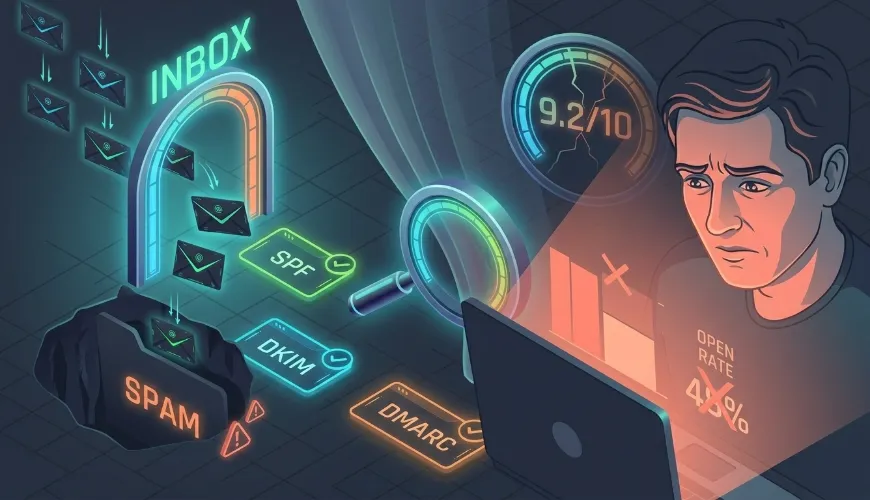
You hit "send" on a campaign. An hour later, your open rate is half of what you expected. Subscribers tell you they "didn't see it." You check your sent folder - yep, it went out. So where did it go?
Most likely: the spam folder. And the fastest way to figure out why is to run an email spam score check.
This guide walks you through everything you need to know - what a spam score actually measures, what a good score looks like, how to check yours in under 60 seconds, and what to do if the number that comes back is bad. No fluff, no "subscribe to our newsletter" gate, no signup wall.
TL;DR: A good email spam score is 8.0 or higher on a 10-point scale (or below 5.0 if you're seeing the raw SpamAssassin number, where lower is better). To check yours right now, send a test email to SendBridge Mail Tester - you'll get a full report in seconds with no signup. Below 8/10? Read the diagnosis section.
Quick Reference: Spam Score Cheat Sheet
| Score (out of 10) | What It Means | Inbox Risk |
|---|---|---|
| 10.0 | Perfect - every check passed | ✅ Minimal risk |
| 9.0 – 9.9 | Excellent - minor issues, usually safe | ✅ Low risk |
| 8.0 – 8.9 | Good - fix the flagged issues for safety | ⚠️ Moderate |
| 7.0 – 7.9 | Borderline - likely landing in spam at strict providers | ⚠️ High |
| 6.0 – 6.9 | Poor - most providers will route to spam | ❌ Very high |
| Below 6.0 | Critical - almost guaranteed spam folder | ❌ Severe |
Scores based on SpamAssassin, the open-source engine used by most major mail-testing tools. Higher is better on the 10-point display scale.
Important: Email Spam Score vs. Moz Spam Score
Before we go further - a clarification, because Google mixes these up:
- Email spam score (what this guide is about): measures how likely your email message is to be filtered as spam by mail providers like Gmail, Outlook, and Yahoo. Uses tools like SpamAssassin.
- Moz Spam Score: a completely different SEO metric measuring how "spammy" a website's backlink profile looks. Has nothing to do with email.
If you came here looking for the SEO version, you want Moz's Link Explorer, not this article. If you're here because emails are going to spam - keep reading.
What Is an Email Spam Score, Really?
An email spam score is a number that estimates how likely your message is to be flagged as spam before you even hit a recipient's mailbox.
Behind every spam score is a rule engine - most commonly SpamAssassin, an open-source engine maintained by the Apache Software Foundation. It runs your email through roughly 700 rules covering:
- Content patterns - too many exclamation marks, ALL CAPS subject lines, classic spam phrases ("free money," "act now"), suspicious URLs
- Header analysis - missing required headers, malformed
Message-ID, suspiciousReceivedchain - Authentication checks - SPF, DKIM, DMARC pass/fail
- HTML structure - broken markup, hidden text, mismatched link text vs. URL targets
- Bayesian classification - statistical comparison against known spam corpora
- Image/text ratio - emails that are mostly image with little text are penalized
- DNS-based lookups - checking your sending IP and domain against real-time blacklists (RBLs)
Each rule adds or subtracts a few points from a running total. The raw SpamAssassin score is on a scale where lower is better (a perfect email scores 0, and most filters start treating mail as spam above 5.0). Most user-facing tools - including SendBridge and mail-tester.com - flip this to a 10-point scale where higher is better, because "10/10" is more intuitive than "0.2 raw SpamAssassin points."
One important caveat
A spam score is not the same as inbox placement. A 10/10 spam score means your email passed the static rule checks. Whether Gmail actually delivers to Primary, Promotions, or Spam depends on additional signals no scoring tool can measure - sender reputation history, recipient engagement patterns, and proprietary machine-learning filters.
Think of a spam score as a pre-flight checklist. Passing it doesn't guarantee a smooth flight, but failing it almost guarantees turbulence.
What Is a Good Email Spam Score?
The short answer: 8.0 / 10 or higher.
The longer answer depends on your sender type:
- Transactional email (password resets, receipts, order confirmations): aim for 9.5+. Recipients expect these, so even small spam signals will cost you trust.
- Newsletter / marketing email: 8.5+ is the working minimum. Below 8.0, your engaged audience might still get the email, but cold or partially-engaged subscribers will see it in spam.
- Cold outreach: aim for 9.0+. Cold email starts with zero reputation cushion, so spam-score margin matters more.
- B2B / enterprise sending: 9.0+. Corporate filters (Microsoft 365, Mimecast, Proofpoint) are stricter than consumer Gmail.
If your score is 10/10, don't celebrate yet - it just means you cleared the static-rules bar. The next question is whether your sender reputation is good enough to actually land in the inbox.
How to Check Your Email Spam Score (3 Methods)
There are three ways to check an email's spam score. Pick the one that fits how you're sending.
Method 1: Send a Test Email to a Mail Tester (Easiest)
This is the standard workflow for 95% of senders:
- Go to a spam-score checker tool - for example, SendBridge Mail Tester (free, unlimited, no signup)
- Copy the unique test email address the tool gives you
- From your actual sending system (your ESP, your transactional mail server, your cold email tool), send your test email to that address - exactly as you would to a real subscriber
- Wait 5–30 seconds
- Click "Check the score" on the tester - you'll get a full report
Why this works: by sending from your real infrastructure, the tool sees your real SPF, DKIM, DMARC, IP reputation, and content - not a sanitized version.
Common mistake: people copy-paste their email into a web form and expect the same result. That misses half the signal (authentication, IP reputation, headers). Always send through your actual sending system.
Method 2: Check Headers Directly
If you have access to a raw email source (the .eml file or "Show Original" in Gmail), you can read the SpamAssassin score from the headers. Look for:
X-Spam-Status: No, score=0.2 required=5.0
X-Spam-Score: 0.2
X-Spam-Report: ...
This is the raw SpamAssassin score (lower = better, anything above 5.0 is typically treated as spam). It's the most authoritative number because it's the actual score the mail server applied - but it's only available if the receiving server uses SpamAssassin and includes the headers.
Method 3: Use an ESP's Built-In Tester
Most major ESPs (Mailchimp, Brevo, Klaviyo, ActiveCampaign) include a "spam test" feature in their campaign builder. These are convenient, but they have two limits:
- They test the content only, not your full sending infrastructure
- They often use a watered-down or proprietary scoring engine, not full SpamAssassin
Use them as a quick sanity check before sending, but don't rely on them for serious deliverability work. Method 1 gives a more accurate picture.

What Affects Your Email Spam Score
When you get a less-than-perfect score, the report will list which rules triggered. Here are the most common culprits, in roughly the order they show up:
1. SPF, DKIM, or DMARC Failures
Authentication is the biggest single factor. If any of the three fails:
- SPF fail - your sending IP isn't in your domain's SPF record. Fix the DNS record.
- DKIM fail - your DKIM signature didn't verify. Usually a misconfigured selector or a forwarder that broke the signature.
- DMARC fail - SPF and DKIM either failed or weren't aligned with the
From:domain. Check your_dmarcTXT record.
A single authentication failure can drop your score by 2–4 points. All three passing is non-negotiable for serious sending.
2. IP or Domain on a Blacklist
If your sending IP or domain appears on a real-time blacklist (RBL) like Spamhaus, Barracuda, or SORBS, expect a heavy penalty. Most mail testers, including ours, check these automatically. If you're listed:
- Find out why you got listed (recent volume spike? Spam complaints? Compromised account?)
- Fix the underlying issue
- Submit a delisting request through the RBL's official portal
Delisting isn't instant - Spamhaus typically takes 24–48 hours, sometimes longer.
3. Content Triggers
Spam-trigger phrases still exist, but their impact is smaller than people think. SpamAssassin won't tank your score for one "free" or "click here." It cares more about:
- Pattern density - five spam phrases in a 200-word email is bad; one is fine
- Subject-body mismatch - a subject line promising one thing and a body delivering another
- Suspicious links - URL shorteners (bit.ly, tinyurl) inside the email body, or links to recently-registered domains
- Hidden text - white text on white background, font-size: 0, or similar tricks
- Excessive HTML - emails that are 99% image with no plain-text fallback
4. Missing or Broken Headers
Three common issues:
- No
List-Unsubscribeheader - heavily penalized for bulk senders since Gmail and Yahoo started requiring it in 2024 - Missing or malformed
Message-ID- looks like spam-bot behavior - Mismatched
From:andReturn-Path:- common with poorly-configured forwarders
5. Reverse DNS (PTR) Missing
Your sending IP should have a PTR record that resolves to a hostname matching your domain. If you're sending from a VPS or your own server, this is set up at the hosting/IP provider, not in your domain DNS. A missing PTR alone can cost you 1–2 points.
6. HTML/Plain Text Imbalance
Send emails as multipart/alternative with both an HTML and a plain-text version. Pure HTML emails (or pure plain text with one image stripped) raise flags.
How to Improve a Bad Spam Score (Step-by-Step)
If your score is below 8.0, work through this checklist in order. Each step builds on the previous one.
Step 1: Fix authentication first
Run your sending domain through a mail tester and confirm SPF, DKIM, and DMARC all pass. This alone usually moves a 5/10 to an 8/10. Specifically:
- SPF: your sending IP (or your ESP's, if you use one) must be in the SPF record
- DKIM: 2048-bit RSA key, properly published at
selector._domainkey.yourdomain.com - DMARC: published at
_dmarc.yourdomain.com, starts withp=nonefor monitoring, moves top=quarantinethenp=rejectonce you're sure all legitimate mail aligns
Step 2: Clean up the content
Open the report and look at every triggered SpamAssassin rule. Common quick fixes:
- Remove ALL CAPS from subject lines
- Cut excessive exclamation marks (one is fine; three is not)
- Replace URL shorteners with branded short domains or full URLs
- Add a plain-text version of every email
- Make sure your image-to-text ratio is below 60% image
Step 3: Check blacklists
Confirm your IP and domain are clean across the major RBLs. If listed, delist before continuing - no amount of content tuning fixes a blacklisted IP.
Step 4: Add the modern required headers
For bulk senders (5,000+ emails/day to Gmail or Yahoo), make sure you have:
List-Unsubscribeheader with bothmailto:andhttps://optionsList-Unsubscribe-Post: List-Unsubscribe=One-Clickfor one-click unsubscribePrecedence: bulkfor bulk newsletters
Step 5: Verify your reverse DNS
If you control your sending server, set up a PTR record at your hosting provider. The PTR should resolve to a hostname like mail.yourdomain.com, and that hostname should forward-resolve to the same IP. Misalignment here is a common silent killer.
Step 6: Send through a clean IP
If you've done everything above and still see a bad score, your IP might have a poor reputation history that pre-dates you. Either:
- Move to a clean dedicated IP and warm it up over 4–6 weeks
- Use an established ESP with shared IPs that have built-up reputation
Step 7: Verify your list
This isn't strictly a spam-score factor, but it's the deliverability layer above. A 10/10 spam score means nothing if 30% of your list is dead. Bouncing to invalid addresses tanks your sender reputation, which then drags every future spam score down. Email verification cleans the list before you send.
How Often Should You Check Your Spam Score?
For most senders, whenever you change something that could affect deliverability:
- New sending domain or IP
- Updated SPF/DKIM/DMARC records
- Major template redesign
- New email service provider
- Big content change (new subject-line style, new CTA pattern)
- After being blacklisted and delisted, to confirm cleanup
For cold outreach, test every new template before scaling. For high-volume senders, monthly spot checks plus testing after any infrastructure change is enough.
What you don't need: daily testing unless you're actively troubleshooting an active issue. Spam scores are stable when your inputs are stable.
Free Spam Score Checker: Try It Now
If you came here ready to check a score, here's the fastest path:
Open SendBridge Mail Tester - free, unlimited tests, no signup. Send your email to the address it generates, click "Check the score," and you'll get:
- Your spam score on the 10-point scale
- Full SpamAssassin rule breakdown (every rule that triggered, with explanations)
- SPF, DKIM, and DMARC validation results
- Blacklist check across major RBLs
- A shareable report URL you can send to your developer or team
We built it specifically because every other "free" spam score tool either caps you at 3 tests per day, hides important detail behind a paywall, or makes you sign up. Ours doesn't.
Frequently Asked Questions
What is a good email spam score?
8.0 or higher on a 10-point scale is the working minimum for most sending types. Aim for 9.0+ for transactional and cold-outreach email, and 9.5+ for B2B sending into strict corporate filters. Below 8.0, expect strict providers to route your email to spam even if engaged subscribers still see it.
What does a spam score of 10/10 mean?
It means your email passed all static SpamAssassin rule checks - authentication is set up correctly, content doesn't trigger obvious flags, headers are clean, and you're not on a major blacklist. It does not guarantee inbox placement; that also depends on sender reputation and recipient engagement signals that no scoring tool can measure.
Why is my spam score different on different tools?
Three reasons: different versions of SpamAssassin with slightly different rules, different blacklist providers checked, and timing-based DNS variance. A 9.5 on one tool and a 9.8 on another isn't a contradiction - it's normal variance within ±0.5 points. Focus on which rules triggered, not the absolute number.
How do I check my spam score without sending an email?
Most accurate scoring requires sending a real test email so the tool can verify authentication and IP reputation. Some ESPs offer "preview" spam checks that analyze content only - useful for catching content issues, but they miss half the signal. For serious checks, use the send-to-address method.
Can a high spam score still land in spam?
Yes. A high score means your content and configuration are clean, but mail providers also weigh sender reputation (how recipients have engaged with your past emails), engagement metrics (opens, replies, deletes, "mark as spam"), and proprietary ML filters. A 10/10 spam score with a poor sender reputation can still land in spam.
What's the difference between an email spam score and a Moz Spam Score?
They're unrelated. Email spam score measures how likely your email message is to be filtered by mail providers (this guide). Moz Spam Score is an SEO metric from Moz's Link Explorer that estimates how "spammy" a website's backlink profile looks. If you're trying to fix email deliverability, the Moz score doesn't apply.
Is checking my spam score safe?
Yes. You send a test email to the spam-score tool, not the other way around. Your real subscribers, list, and email content are never exposed. Both SendBridge and other reputable tools (mail-tester.com, Postmark Spam Check) work this way.
Related Reading
If your spam score check revealed problems, these guides go deeper into each layer:
- Mail-Tester.com Alternatives in 2026: 8 Free & Paid Tools Compared - if you need a different spam-score tool
- Email Deliverability Testing: 7 Things Every Sender Should Check - the full deliverability checklist beyond just spam score
- SpamAssassin Score Explained: What 10/10 Really Means - deep dive into the scoring engine
Or skip the reading and just check your spam score now →