How To Make a Booking Website: Top 7 Tools to Use
By SendBridge Team · Published Sep 10, 2026 · 8 min read · Tutorials
In 2026, a whopping two-thirds of customers demand digital appointment booking features from their favourite service providers. As we shift from in-person to online appointment scheduling, service providers across sectors are investing in appointment scheduling software to manage demand.
However, if you want to learn how to make a booking website that converts, you must do more than simply invest in an appointment scheduling integration. The best booking websites are personalised, fast-loading, and designed to turn one-time bookers into repeat clients.
With this said, let's dive into some of the top tools you can use to build and manage a booking website in 2026.
How To Make a Booking Website That Converts
In 2026, online booking services are not limited to healthcare. In fact, the most common services with online booking systems in place include salons, restaurants, travel companies, and various other services scattered across the globe. The beauty industry alone receives more than half of its bookings online in 2026, making an online booking system an indispensable asset to utilise for a digital-facing demographic.
If you want to learn how to make a booking website that converts, it's important to first consider the components of a powerful appointment scheduling system:
-
Real-Time Availability: Have you chosen a booking website builder that has constant uptime? Are your calendars synced to the online booking integration? Allowing customers to view your availability in real-time streamlines the appointment booking process and is the key to reducing the likelihood of any repeat bookings.
-
Custom Booking Options: If you're using a website builder with booking system features included, check that it allows you to add custom booking fields that make the appointment scheduling process easier, such as variable time slots, staff selection, service durations, and buffer times between appointments.
-
Automated Confirmations: Does your online appointment scheduling software include automated confirmations? Better still, opting for an online booking strategy that also includes automated reminders is the key to reducing no-shows.
-
Secure Payment Integrations: The best booking websites are accompanied by a secure payment gateway such as AtoA, Stripe or Square that can accept multiple cards and facilitate refunds with ease. Opting for a well-known payment integration provider is also crucial if you want to reassure customers that their payment details are safe.

6 Tools to Use to Create a Powerful Booking Website in 2026
Now that we've covered what a well-oiled appointment scheduling system should include, here are six tools to help you create a booking website:
1. Hostinger Website Builder: Create Your Booking Website
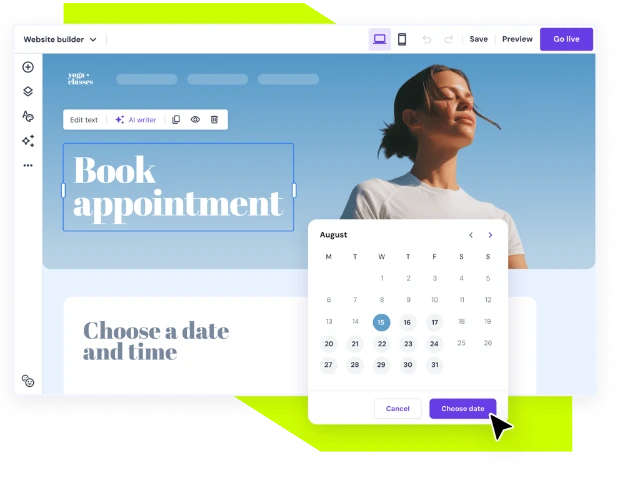
Let's start with the foundation of your booking website. If you're a beginner with no coding experience, an all-in-one booking website builder like Hostinger lets you launch a professional, calendar-based service website without the heavy lifting.
With a drag-and-drop design and AI-assisted creation, Hostinger helps you create a customizable booking page that syncs with your Google Calendar with ease. All-in-one online booking website builders like Hostinger are also set up to take secure online payments and come with built-in analytics, allowing you to track who is booking and when, right from your site.
The Hostinger Website Builder also includes free access to Hostinger's AI email marketing tool for a year. Once someone makes a booking, you can capture their details and run automated drip campaigns to drive repeat bookings.
2. Stripe: Streamline Booking Website Payments
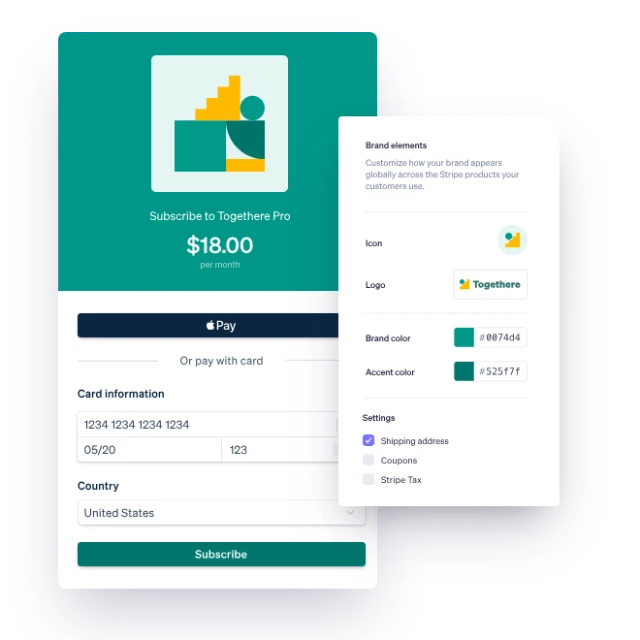
If your booking website builder/appointment scheduling integration comes with an option to choose your payment infrastructure, opting for a secure, trusted payment gateway like Stripe is a no-brainer.
Integrating a powerful payment processor like Stripe ensures that each customer has a smooth checkout experience. Better still, Stripe also accepts various credit cards, digital wallets, and even international payments securely, meaning that your bookers will experience less friction when it comes to digital appointment booking. For those of you offering subscriptions/mass appointment booking, Stripe also has advanced features like invoicing and payout controls, and specific subscription billing capabilities.
3. Bookeo: Add Online Booking to Your Website
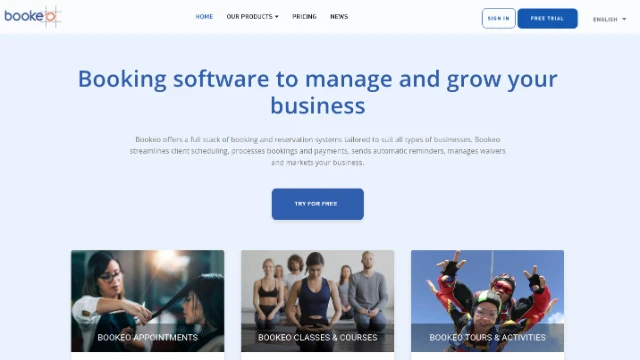
If you already have a website and need a reliable way to manage bookings, an online scheduling platform like Bookeo can turn your site into a convenient booking hub without requiring you to build a scheduling system from scratch.
Bookeo lets businesses accept online bookings 24/7 while managing availability, appointments, staff schedules, and customer information from one platform. Its booking system can be integrated directly into an existing website, allowing visitors to select an available time and make a reservation without having to contact the business manually.
For small businesses, Bookeo can also simplify the administrative side of online bookings. The platform supports automated booking confirmations and reminders, calendar synchronization, customer management, and online payments through supported payment gateways. This can reduce the back-and-forth involved in scheduling while giving customers a more convenient booking experience.
Bookeo also provides tools for businesses that want to encourage more bookings, including promotions, gift vouchers, and follow-up emails. Whether you're running appointments, classes, or tours and activities, Bookeo provides dedicated booking solutions that can be adapted to different types of services.
If you already have a website and want to add professional booking functionality rather than replace your entire website, Bookeo is worth considering as a dedicated online scheduling solution.
4. Google Analytics: Track Visitors and Conversion Behaviour
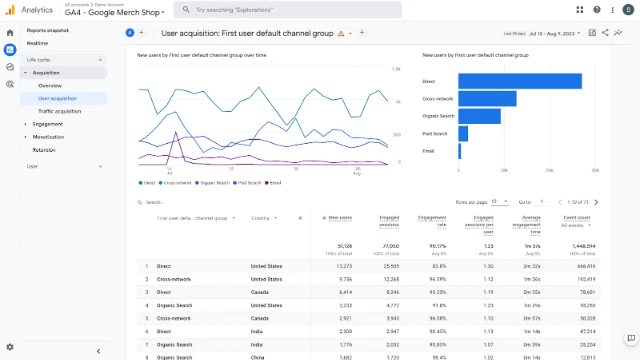
Once you've gotten your head around how to make a booking website, it's time to level up your targeting for the best chance of conversion. Now that your online booking site is live, Google Analytics can tell you how your target clients are behaving.
Tools like GA track who visits your site, where they come from, and when they convert. This is crucial information that can influence how you refine your appointment booking page, your pricing, and any other marketing strategies over time.
5. HubSpot CRM: Turn Online Bookers into Repeat Clients
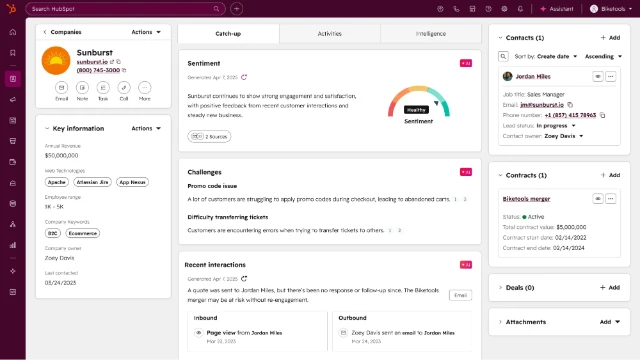
If you invest in a website builder with booking system features included, ensure that it can facilitate CRM integrations.
CRM tools like HubSpot complement an online booking website. With the ability to manage contacts, build lead capture forms, and even automate booking confirmations and reminders, HubSpot is an asset for a busy business managing multiple client bookings/relationships. If you want to turn your online bookers into repeat clients, HubSpot is perfect for helping you manage your existing clients and storing their personal details. This can make it easier to tailor and personalise future deals that encourage digital appointment booking once again.
6. SurveyMonkey: Gather Feedback on Your Appointment Scheduling Software
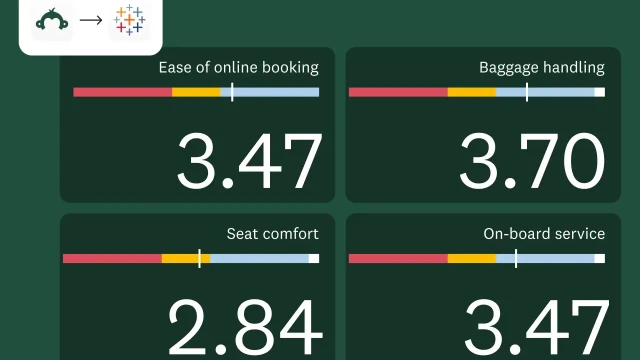
If you want to truly learn how to make a booking website that converts, you must first know what to do when it doesn't. Tracking abandoned bookings and learning why some leads don't convert is crucial if you want to build a powerful appointment scheduling system. Tools like SurveyMonkey are perfect for this as they allow you to create professional surveys that appear automatically when a lead abandons an appointment.
In a survey, you can ask a lead what their booking experience was like, what turned them away, and what you can add to the online booking website to improve your future service. SurveyMonkey provides you with rich and qualitative data that can be used for iterative improvements.
7. Intercom: Automated Support For Digital Appointment Booking
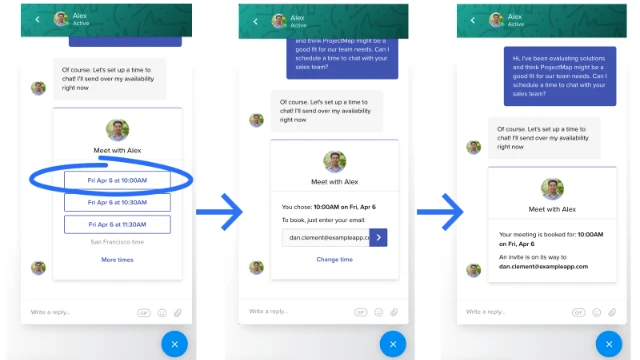
To avoid losing leads, setting up an automated support system for your appointment scheduling website is crucial. While you may have learnt how to make a booking website, you can't assume that all customers will understand how to use it. A plugin like Intercom is brilliant here, providing real-time chat widgets and help desk tools that you can use to talk to visitors in real time as they make a booking.
From pushing booking links to offering checkout support, t his added booking website element could be the key to converting more leads.
Transform Your Online Appointment Booking
Creating a booking system can be tricky when you start from scratch. To avoid complications, opting for a website builder with booking system features ready to use is essential. The best online booking systems are easy to navigate, collect customer information for future personalisation, and offer customers 24/7 support. In an era where digital appointment booking is the new normal, your business must be prepared if you want your slots filled in 2026. For corporate environments specifically, implementing robust conference room software for Outlook ensures that your physical meeting spaces are as organized and accessible as your digital appointments.