Migrating to a New Hosting Platform: Common Mistakes and How to Avoid Them
By SendBridge Team · Published May 27, 2026 · 6 min read · Technology

Moving your website to a new hosting platform is one of those decisions that can significantly increase speed, stability, and scalability in the long run.
Most of the issues that come up during a migration are not random but caused by a handful of predictable errors. Businesses make these over and over again just because they don't treat migration as a structured, multi-step process.
Below is a straightforward guide that details the mistakes that cause the most trouble and the actionable measures to overcome them.
Moving Without a Migration Audit
A major red flag is treating migration as a simple file transfer. Without knowing your current environment, you're in danger of breaking vital components as soon as your site hits the new host.
Migration audits allow you to understand what exactly you're moving, what must be cleaned up, and what might cause compatibility issues.
Sites collect a shocking amount of digital clutter over the years and transferring everything blindly can cause performance and configuration conflicts.
Two elements are necessary for an audit to be successful:
- Your current tech stack: Your database engine, PHP version, and a number of modules and unique configurations. Conflicts in your old and new environments lead to migration failures.
Selecting a reliable hosting company like Atlantic.net reduces these problems because they provide a clear list of supported software versions, removing any surprises after the migration.
- The age and applicability of your plugins, themes, and scripts: When you upgrade, outdated components or unsupported libraries will malfunction.
Knowing your potential problems before a move will enable you to upgrade, replace, or eliminate incompatible components.
Backing Up Your Site - But Not Completely
Incomplete backups are the leading factor associated with migration disasters. Site owners make backups of the most visible components like databases and core files, ignoring the rest.
Check out this video to learn more about the importance of website backup.

A full backup needs to contain:
-
Email accounts and stored messages: Losing these can severely disrupt communication and business operations.
-
DNS zone records: Especially if your DNS is hosted with your current provider. Rebuilding email, subdomains, and verification settings becomes error-prone in the absence of these records.
-
Cron jobs and automations tasks: Frequently overlooked, essential for planned operations like backups, security scans, and nightly imports.
When a migration goes wrong and you don't have every piece backed up, you can lose much more than website functionality - you can lose systems that keep your site running day to day.

Migrating to Production Without a Staging Environment
Implementing changes directly on the live version of your website is one of the riskiest decisions you can make. Even when everything seems compatible, smaller differences between servers can cause unexpected issues.
Discovering these problems in a live environment affects user experience, SEO, and conversions.
A staging site gets rid of these issues. It will give you a controlled area to test everything in the new hosting arrangement.
While staging, pay extra attention to:
-
Static URLs and file paths: These can cause problems with navigation or image display if they continue to reference the old server.
-
API keys and environment variables: Integrations are common reasons for silent failures.
-
Caching and performance differences: Especially if your new host platform is on a different stack or caching engine.
By migrating to staging first, you can only push the site live when you're confident that everything works exactly as it should.
Incorrect DNS changes
DNS is often an afterthought for website owners, but it directly affects how quickly your website becomes accessible to the new host - and whether visitors experience downtime during the transition.
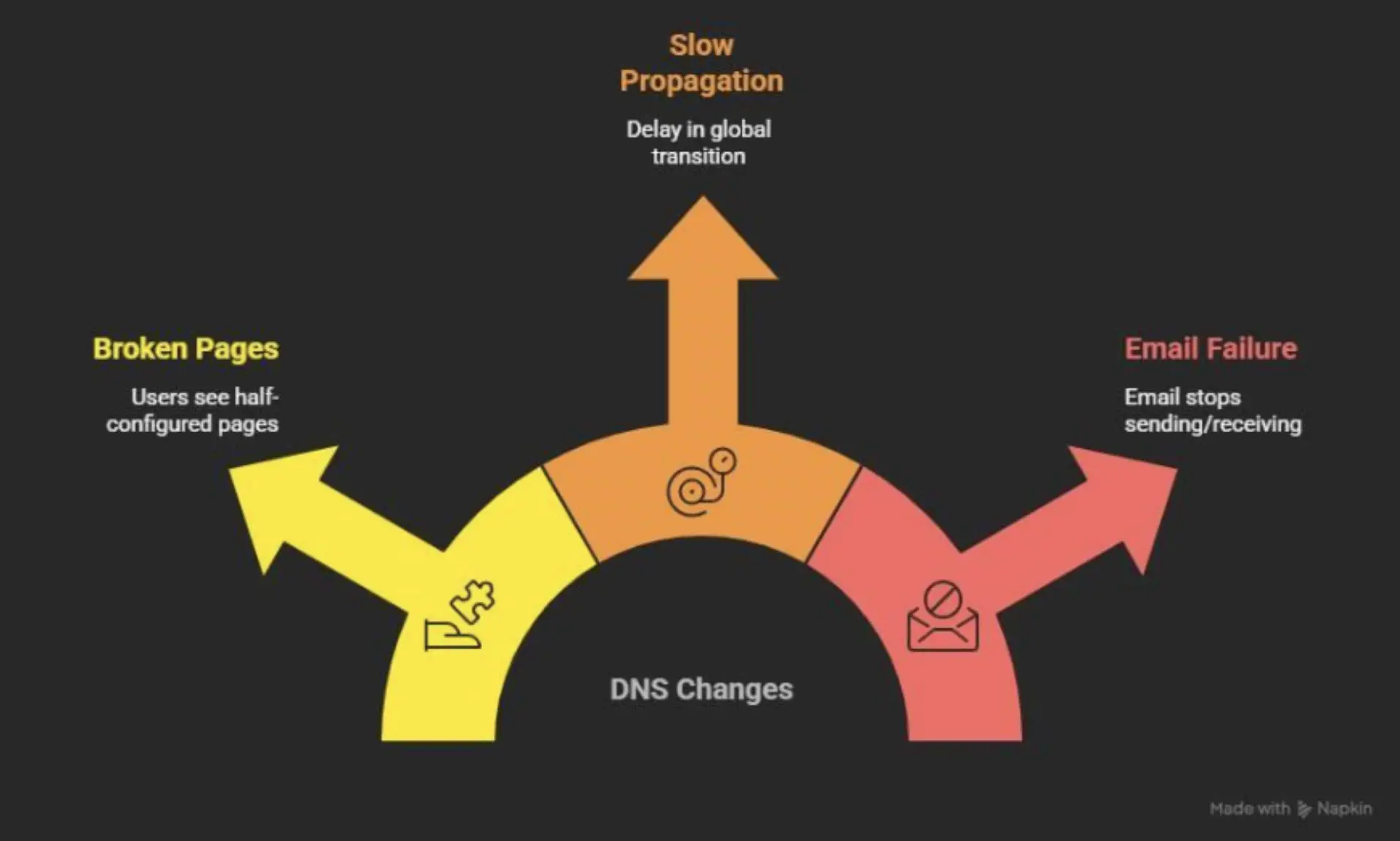
The biggest DNS mistake is implementing changes prematurely. Most business owners make changes to the DNS records before the new environment has been fully tested.
It exposes users to half-configured pages or broken functionality.
Another common error is the failure to reduce the TTL (time-to-live). Such an oversight can slow down the propagation process and delay the transition globally.
DNS impacts email as well. If you fail to migrate or properly configure your MX, SPF, DKIM, and DMARC records, your email can stop sending and receiving altogether.
A safe DNS migration involves preparing the records ahead of time, reducing TTL at least 24 hours before the migration, verifying the new settings, keeping the old hosting plan until propagation is complete.
When managed effectively, DNS propagation is a seamless process virtually undetectable to users.
Source: NapkinAI
Believing the Job is "One-and-Done"
A successful migration does not end when you load the site on the new platform. Hosting environments are different, and your site might need some tweaking before it runs optimally.
The majority of problems after migration arise from ignored optimizations during this process.
For example, you might need to update the caching rules or reconfigure your CDN to align with the new server. The same applies to compression, image optimization, and database performance.
Log patterns will usually be different in a new hosting environment. Checking them within the first few hours of site launch is a solid practice for identifying issues before they start causing problems.
Not Monitoring Your Site in the First 24-48 Hours
Even if you've prepared everything perfectly, you should monitor your website closely right after the migration. Not that something is bound to go wrong, but if it does, detecting it at an early stage won't lead to further consequences.
In the first day or two, be on the lookout for:
-
Uptime changes or unexpected slowdowns, which can be a sign of caching or resource allocation problems on the new host.
-
Failure or delay in email delivery. This usually happens when DNS records are not properly configured or when you have a new IP address that needs to be warmed up.
-
Log errors, especially 404s, permission errors or failed cron jobs.
-
User behavior abnormalities like fewer conversions, checkout abandonments, or forms not submitting.
Monitoring helps you detect minor issues before customers or Google notice them. You might say this period is the quality control stage of migration.
Wrap Up
The most common myth about site migration is that it's a complex and risky operation. But it doesn't have to be the case.
The most frequent issues - broken functionality, downtime, email disruption, and SEO impacts - come from neglecting preparation, hurrying through critical steps, and assuming everything will simply function well in the new environment.
By following the steps laid out in this article, you dramatically increase the chances of a hassle-free migration.