How to Create High-Converting AI Designs for Marketing
By SendBridge Team · Published Aug 05, 2026 · 8 min read · Marketing
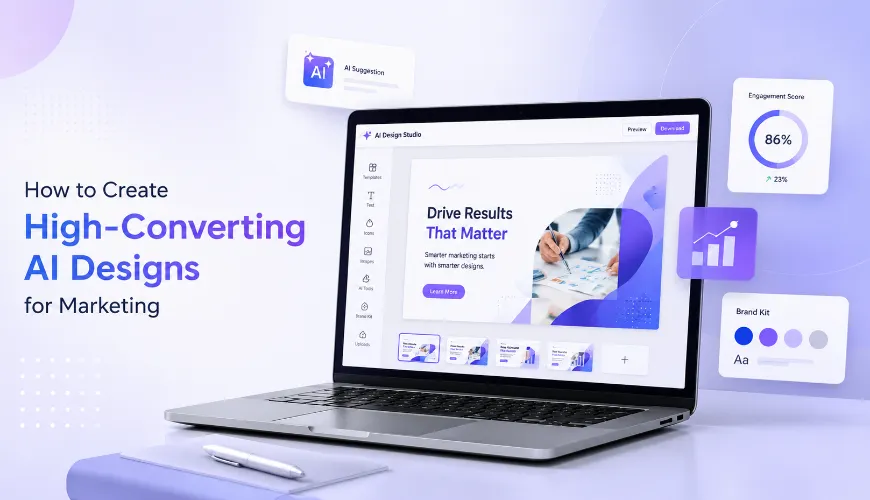
AI has made design faster, but it's also made many marketing visuals look the same. Scroll through LinkedIn or Instagram and you'll spot similar layouts, illustrations and styles across different brands.
If your design looks like everything else in someone's feed, it's much easier to ignore. In this guide, I'll walk you through a simple workflow for creating AI-powered marketing graphics that engage your audience and drive action.
Step 1: Start With Your Marketing Goal
A common AI design workflow looks something like this: find a few designs you like, upload them as references and use an AI design tool to create something similar.
Starting with a visual reference directly instead of a marketing objective is what makes AI-generated designs feel generic and disconnected from your campaign goals.
For example, imagine you're creating a LinkedIn campaign for a fintech company targeting CFOs and use a bright, playful skincare ad as your reference because you like the layout. AI recreates that style with bold colors. It looks visually appealing, but it also makes your brand feel less credible to an audience that values trust, stability and professionalism.
That's because high-converting marketing graphics should reflect what your audience expects to see and guide them toward a specific action.
Before you write a prompt or choose a template, define your marketing goal first.
- Campaign objective: What do you want this design to achieve? Drive webinar registrations, announce a product launch, generate leads or increase social engagement?
- Target audience: Go beyond broad personas. Think about their role, industry, motivations and what they're looking for. A graphic for startup founders should feel very different from one designed for HR leaders or healthcare professionals.
- Platform: Every platform has different expectations. Professional, insight-driven graphics often perform well on LinkedIn, while Instagram gives you more room to experiment with bold visuals and storytelling.
- Call to action: Decide what you want people to do before you start designing. Whether it's downloading a guide, signing up for a demo or clicking through to a landing page, your CTA should shape the hierarchy of your design.
If you're starting from scratch, use AI to brainstorm campaign goals, audience insights or messaging before you generate your first design.
Step 2: Choose an AI Design Platform Built for Marketing
The AI design platform you choose plays a big role in your workflow. Beyond generating a design, it should help you customize, brand and adapt your graphics for different marketing campaigns.
Look for tools that offer:
- AI text-to-design
- Brand automation
- Templates
- Easy customization
- Multiple export sizes
Venngage is an AI-powered design solution built for marketers. Think of it as a design partner that helps you generate a first draft while giving you full creative control to refine it for your campaign.
With Venngage AI, you can enter a text prompt to generate a new design or start with a professionally designed template, then customize it to fit your campaign.
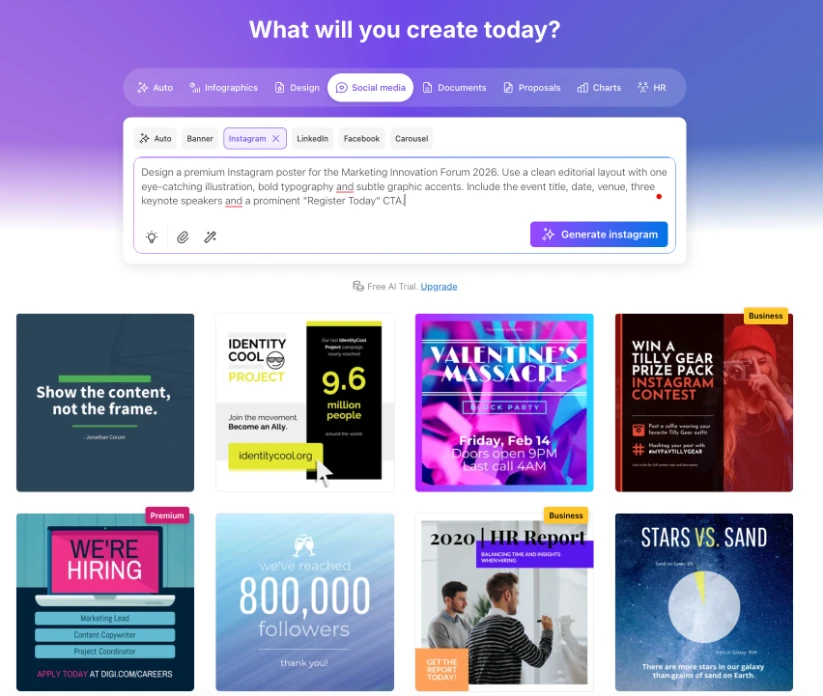
Once the first draft is generated, you can:
- Update headlines and body copy.
- Swap icons, illustrations and images.
- Rearrange sections to improve the layout.
- Apply your brand colors, fonts and logo using Brand Kit.
- Resize the design for different marketing channels.
Venngage offers you a strong first draft that you can improve easily.
Now that you have the right design tool, let's look at how to write prompts that generate stronger first drafts.

Step 3: Write Clear AI Prompts for Marketing Graphics
The quality of your first draft depends on the quality of your prompt. You don't need to write a long, complicated prompt to get good results. Instead, focus on giving AI enough context to make the right design decisions. Think of it like briefing a designer. Explain what you're creating, who it's for and how you want it to look.
For example, compare these two prompts and designs.
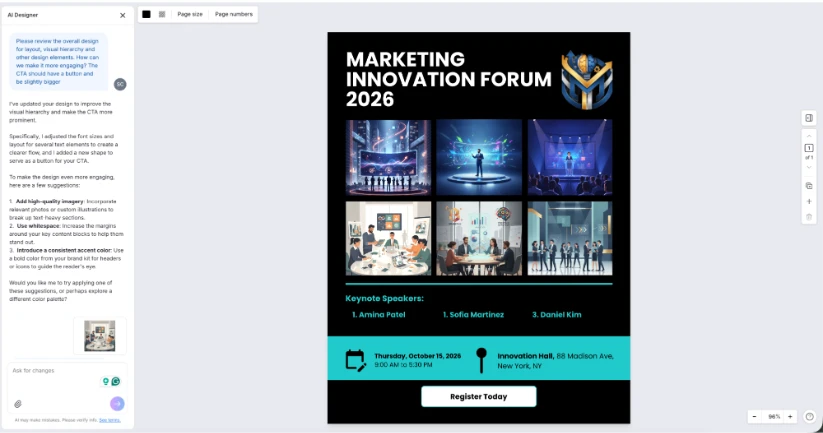
Vague prompt: Design a premium Instagram poster for a marketing conference. Use a modern editorial style with bold typography, a striking visual and a clear call-to-action.
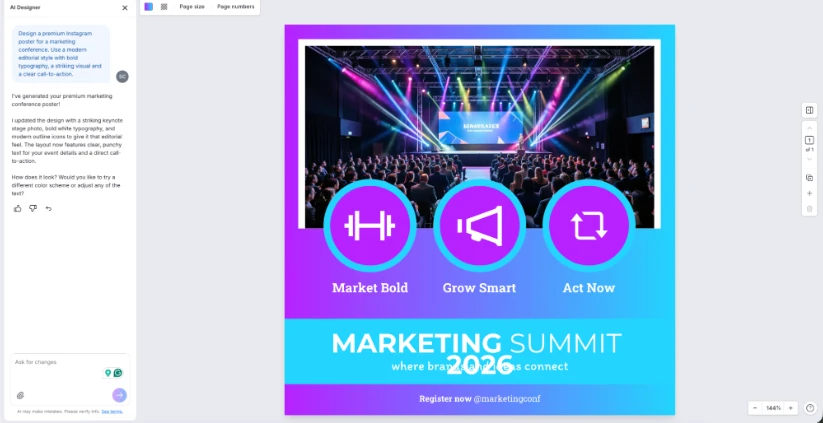
Clear Prompt:
Design a premium Instagram poster for the Marketing Innovation Forum 2026. Use a clean editorial layout with one eye-catching illustration, bold typography and subtle graphic accents. Include the event title, date, venue, three keynote speakers and a prominent "Register Today" CTA.
Step 4: Refine AI-Generated Graphics to Improve Conversions
AI can generate a polished design in seconds, but that doesn't mean it's ready to publish. Take a few minutes to review the first draft and make sure every element supports your marketing goal. This same attention to detail should apply to your professional profile, where you can easily create a polished look using the best professional headshot generators available today.
Here are a few tips to make your AI-generated marketing graphic convert.
- Stick to one focal point: Every graphic should have one element that immediately draws attention, whether it's the headline, a statistic or a key visual. Think about what you want to convey.
- Strengthen visual hierarchy: Use larger font sizes, bolder weights and stronger contrast for your headline. Group related content together and guide the reader's eye naturally from the headline to the supporting information and, finally, the CTA.
- Use contrast to highlight important elements: our CTA should stand out with a contrasting color that aligns with your brand. Avoid using the same color and visual weight for every element on the page.
- Reduce visual clutter: Remove unnecessary icons, illustrations or decorative shapes that don't support your message. More elements don't necessarily make a design more engaging.
- Use whitespace to improve readability: Leave enough space between text, images and sections so the design feels organized instead of crowded. Whitespace helps viewers scan your content more quickly.
- Check your mobile version. Zoom out or preview your design on a phone to make sure text remains legible and important elements aren't too close together.
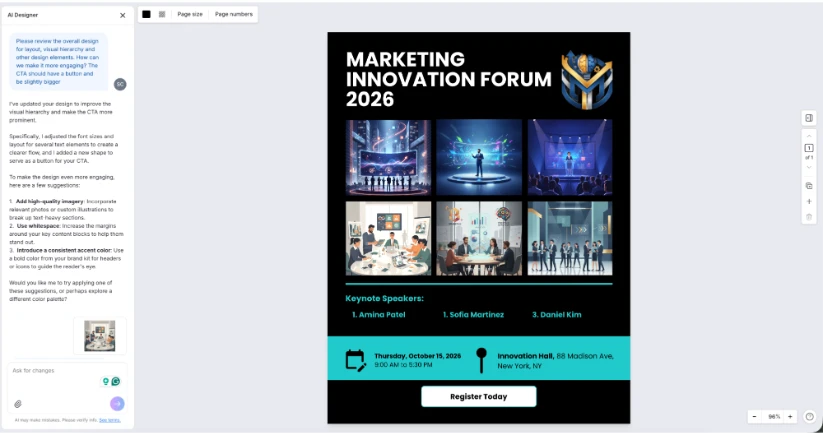
Venngage AI not only helps with generating AI designs but also refining them. You can use the AI Designer chatbot to refine your design. Ask it to review your layout, improve the visual hierarchy, tighten your copy, increase whitespace, make your CTA stand out or identify areas that feel cluttered.
Beyond layout refinements, you can also use Venngage to:
- Turn ideas into professional infographics: Use the AI Infographic Generator to create polished infographic layouts in seconds
- Generate custom images and icons instantly: Replace generic graphics with AI-generated images and icons that better match your campaign.
- Improve your marketing copy: Rewrite headlines, shorten body text or generate stronger calls to action using the AI Writing Assistant.
- Translate your design in one click: Create localized versions of your graphics without manually replacing every text box.
- Customize your own visuals: Upload product photos or branded assets, remove image backgrounds and edit them directly inside your design.
- Maintain a consistent visual style: Match AI-generated images with the rest of your design so every element feels cohesive and on-brand.
Step 5: Resize for Different Marketing Channels
Your marketing campaign probably doesn't stop at a single graphic. The same design can often be adapted for social media, email newsletters, blog posts, landing pages or sales presentations.
Instead of recreating each asset from scratch, resize your design to fit different platforms while keeping your branding and messaging consistent. This saves time and helps your campaign feel cohesive wherever it's published. You should also ensure that your visual assets remain accessible by learning how to save Insta Story content for your brand’s campaign archive so that nothing is lost.
Choose the format based on where the design will be used:
- PNG is ideal for digital channels like social media, email campaigns, websites and blog posts.
- PDF is best for print materials such as flyers, brochures, posters and reports where you need crisp, high-quality output.
With Venngage, you can resize your design for different formats before downloading, making it easy to reuse the same graphic across multiple marketing channels.
A Quick Quality Check Before Publishing
Before you publish your design, run through this quick checklist:
- Is the headline clear and easy to understand?
- Does the graphic communicate one primary message?
- Is your CTA easy to find and visually distinct?
- Are your brand colors, fonts and logo applied consistently?
- Is there enough contrast between text and the background?
- Does the design have enough whitespace to make it easy to scan?
- Is everything readable on a mobile device?
Start Creating Better Marketing Graphics With AI
AI has made creating marketing graphics faster, but creating graphics that actually convert still takes strategy. A strong prompt gets you started, but it's your messaging, layout, visual hierarchy and branding that determine whether someone stops scrolling or clicks through.
That's where an AI-powered design platform like Venngage comes in. You can generate, refine and adapt your marketing graphics in one place. From your first draft to your final export, everything happens in the same workflow, making it easier to create consistent, on-brand marketing assets.