Top AI Tools for Generating Headshots: 5 Best Professional Headshot Generators Compared
By SendBridge Team · Published Oct 16, 2026 · 5 min read · Technology
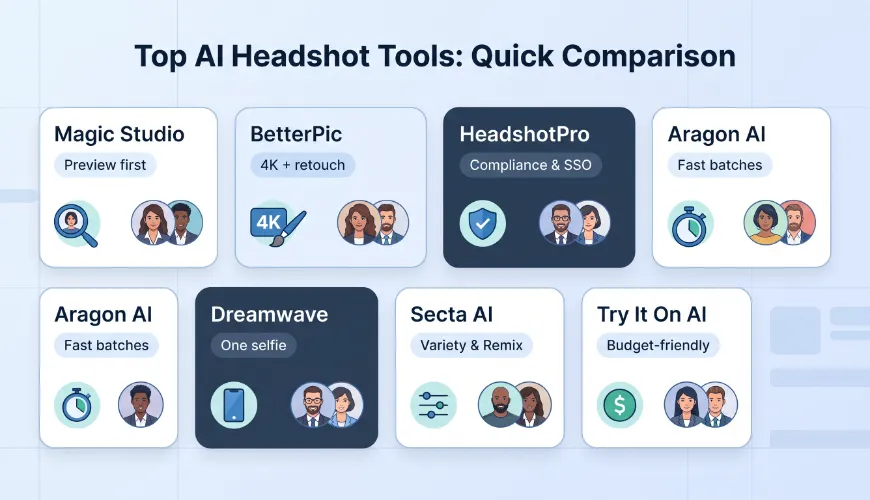
A professional headshot still sets the tone on LinkedIn, email signatures, and pitch decks, but booking studio time is slow, costly, and awkward-especially for remote teams. AI headshot generators change that: upload a few selfies and, within minutes, you'll have dozens of polished portraits. Yet each platform addresses a different need, from SOC 2 compliance to 4 K print quality. In this guide, we compare five category winners and show you exactly when to pick-or skip-each one.
Quick answer: five top picks (and why)
In a hurry? Use this cheat sheet before your next meeting.
| Tool | Why it wins | Starting price ¹ | Typical turnaround |
|---|---|---|---|
| Magic Studio | Preview the full gallery before you pay | $59 | 15–60 minutes |
| BetterPic | 4K resolution on every plan; human retouch on the top tier | $35 | about 2 hours |
| HeadshotPro | SOC 2 Type II, SSO, and a full team dashboard | $29 | 15–120 minutes |
| Aragon AI | Up to 100 images in as little as 15 minutes | $35 | 15–45 minutes |
| Dreamwave | One-selfie workflow with explicit no-training language | $35 | a few minutes to 2 hours |
¹ Prices captured on October 7, 2026. Promotions and exchange rates change quickly; confirm current figures at checkout before you commit.

1. Magic Studio: best for previewing before you pay
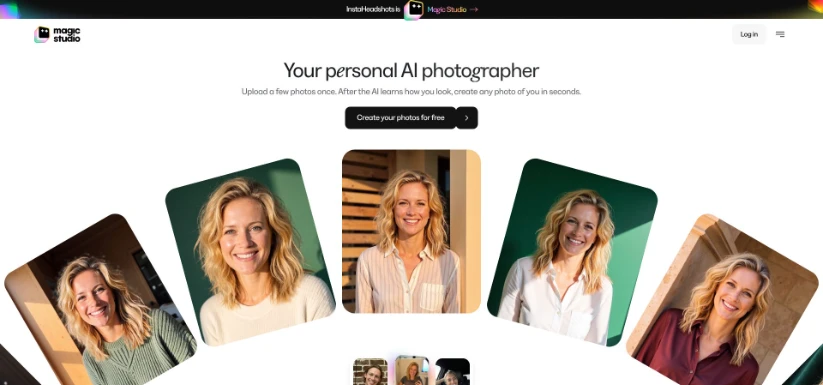
With its pay-after-preview workflow and a homepage that now touts more than 17,000 five-star Trustpilot reviews, Magic Studio is a safe first stop when you need a quick LinkedIn refresh over lunch.
Why it stands out
- Risk-free preview. You only pay after seeing your actual gallery.
- Fast turnaround. Most tests finish in under an hour, even on the entry tier.
- Team basics covered. The browser dashboard manages bulk invites, reminders, and one-click downloads.
Watch-outs
- Resolution upsell. Higher-resolution exports cost extra, so include that fee in your budget.
- Policy gap. The headshot page promises 30-day deletion, but an older policy cites 90 days and potential model training; request written clarification before uploading sensitive photos.
2. BetterPic: best for 4 K clarity and human retouching
Why it stands out
- 4 K on every plan. Even the $35 Starter tier delivers 20 high-resolution portraits in about two hours.
- Human touch-ups. The $79 Expert package expands to 120 images, six styles, one free redo, and unlimited manual edits on your favourite shot.
- Commercial rights included. Use the final image on billboards, banners, or business cards without extra licensing fees.
Watch-outs
- Privacy fine print. Automatic deletion is not listed on the pricing page; confirm the window if you handle sensitive data.
- One-style limit on the Starter plan. Variety costs extra, so factor that into the budget if you need multiple looks.
If you want wall-print quality or the finish of a real retoucher, keep BetterPic near the top of your shortlist.
3. HeadshotPro: best for teams that need built-in compliance
Why it stands out
- Enterprise controls. SSO, SCIM, bulk invites, non-expiring credits, and style locking smooth onboarding.
- Transparent pricing. Individual packs cost $29 (30 images), $39 (50 images), or $59 (70 images). Volume discounts can bring the per-seat price below $20.
- No training on customer images. Inputs delete after 30 days, and the personal model disappears with them.
Watch-outs
- 4 K only on the highest personal plan. Budget for the upgrade if you need print resolution.
- Refund policy. Downloading one file voids the guarantee, so inspect previews carefully before you click "Save."
For distributed companies that put governance first, HeadshotPro is a safe, all-round pick.
4. Aragon AI: best when you need a hundred polished shots, fast
Why it stands out
- Large batches, quickly. Our mid-tier test (60 images) arrived before the next meeting started.
- Built-in editor. Swap jackets, tweak backgrounds, or fine-tune lighting without leaving the dashboard.
- Team integrations. Brand presets, an API, and Zapier flows push finished images straight into CMS or HR tools.
Watch-outs
- Identity drift. Eyebrows, body shape, or shoulders can shift; budget extra credits for re-edits.
- Paid edits. Each post-generation tweak uses credits, so perfectionists may pay more.
- Privacy clarity. Aragon lists AES-256 encryption and SOC 2 Type II, but its public policy is brief on model-training use; confirm terms before uploading sensitive photos.
If you need dozens of polished portraits before the event planner finalises speaker bios, Aragon AI delivers speed without losing much detail.
5. Dreamwave: best for a single selfie and privacy-first language
Why it stands out
- Minimal upload. One image is enough, so you share less and save time.
- Privacy promises. The policy states photos are not sold or used to train future models, and inactive data deletes after 30 days.
Watch-outs
- Resolution limits. Outputs top out at 2,048 × 2,048 px, which suits web use but not large print.
- Sparse social proof. Only a dozen Trustpilot reviews were public at last check; test a small package first.
If you value low effort and clear privacy language over maximum resolution, Dreamwave offers a calm route to a professional portrait.
Three Checks Before You Hit Upload
Before you upload your face, check three things: whether your photos will train future models, when uploads and the personal model are deleted, and where the files are stored - data residency matters here as much as for any business tool. Then start small, count how many true keepers you get, and scale only if the results and the policy both still work.