12 Ways to Streamline Customer Support with Automation
By SendBridge Team · Published Apr 27, 2026 · 7 min read · General
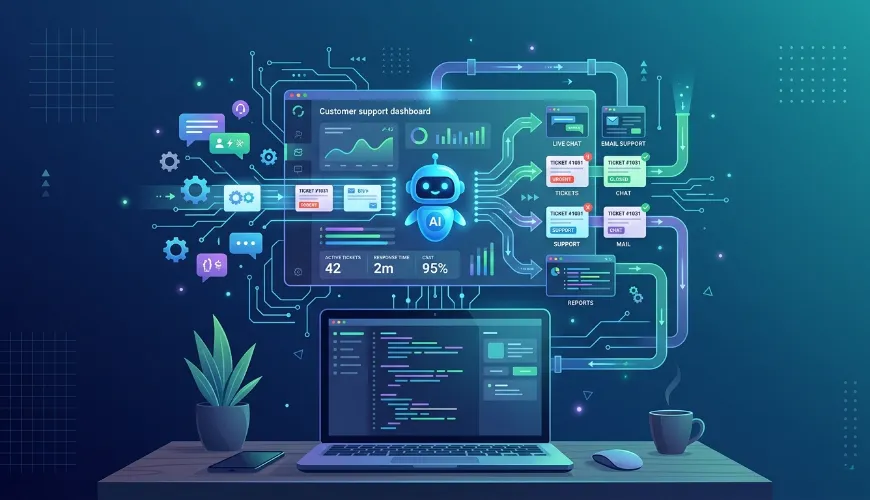
Customer support has quietly become one of the most strategic functions in any subscription business. The companies winning today aren't necessarily the ones with the largest support teams - they're the ones using automation intelligently to handle routine work, prioritizing what truly matters, and freeing their people to solve genuinely difficult problems. Done well, this approach delivers faster, more consistent service while keeping costs predictable as the business scales.
For SaaS founders especially, getting this foundation right early pays compounding dividends. Adopting smart help desk automation strategies for SaaS from day one means you're building habits, workflows, and data pipelines that grow with you, rather than retrofitting AI-driven tools onto a tangled support operation later.
"The goal of automation isn't to replace human support - it's to make sure humans are spending their time on problems only humans can solve."
Below are twelve concrete strategies that, taken together, define what a modern automated support stack actually looks like.
1. Deploy AI Chatbots as Your First Line
AI chatbots have come a long way from the rigid scripts of a decade ago. Today's models process natural language well enough to handle account access questions, order lookups, password resets, and dozens of other routine requests without ever pulling in a human. They run 24/7, learn from every interaction, and improve as you train them on more variations of phrasing, intent, and context will make them more versatile. That alone collapses wait times and frees your team for work that genuinely needs judgment.
2. Automate Ticket Triage and Routing
Instead of someone manually reading every incoming request, triage automation analyzes keywords, sentiment, and historical patterns to assign priority and route tickets correctly. Payment failures get fast-tracked. Feature requests go to product. Bug reports flow to engineering. When a ticket reaches a human, it arrives with full context already attached, which means faster resolution and a much better experience for everyone involved.
3. Build a Self-Service Knowledge Base
Self-service portals let customers find answers on their own through natural language search, AI summarization, and content that updates based on what people are actually searching for. Regular updates driven by usage analytics keep articles relevant and steadily reduce ticket volume as users resolve their own issues. Tools like Ferndesk give both customers and admins a clean user interface for managing this content, so the knowledge base stays useful instead of slowly going stale.
4. Detect Issues Proactively
One of the more underrated capabilities of modern automation is its ability to spot problems before customers report them. Login failures spiking? Cart abandonment climbing on a specific page? A proactive approach lets you intervene with email or in-app notifications before someone has to write in frustrated. Product telemetry sharpens detection over time, and customers remain loyal when they feel looked after rather than ignored.
Here's how that proactive layer typically breaks down:
| Capability | What It Does | Customer Impact |
|---|---|---|
| Anomaly detection | Flags unusual error rates or behavior | Issues addressed before complaints arrive |
| In-app messaging | Delivers contextual help at moments of friction | Reduced ticket volume |
| Onboarding telemetry | Tracks where new users get stuck | Higher activation, lower churn |
| Predictive outreach | Identifies at-risk accounts | Stronger retention |

5. Equip Agents With AI Assistance
Agent assist tools surface relevant past tickets, suggest replies in real time, and pull from your knowledge base while an agent is typing. This hybrid model is genuinely increasing productivity without sacrificing quality - agents still review and refine the AI's suggestions to match brand voice, but the heavy lifting of context-gathering happens automatically. These tools help agents in high-volume environments respond faster while keeping replies thoughtful, and customizing them for your specific industry sharpens their effectiveness further.
6. Unify Your Multi-Channel Support
Customers don't think in channels. They think in conversations. Someone might start a question on Twitter, follow up over email, and finish in your in-app chat - and they expect you to remember the whole thread. Multi-channel automation creates that single experience by keeping context with the customer rather than the medium.
A unified setup typically pulls together:
- Email, chat, and social into one inbox with shared history
- Real-time translation for global customer bases
- Centralized supervisor dashboards for monitoring and escalation
- Cross-channel analytics that reveal patterns no single channel would show
- Consistent brand voice regardless of where the conversation happens
Stitching channels together this way may improve resolution rates noticeably - often without adding headcount.
7. Streamline Email Automation
Email automation applies rules to sort, label, and respond to routine messages. Confirmations and simple queries get handled instantly, while nuanced messages get flagged for human attention. Template systems adapt to each query's specifics so mass communication doesn't feel mass-produced, and follow-up workflows close loops on unresolved cases automatically. The cumulative effect is real: teams reclaim hours every day and the system ensures timely acknowledgment even during volume spikes.
8. Close the Loop With Automated Feedback
Post-interaction surveys capture satisfaction scores and open-ended comments. Sentiment analysis flags unhappy customers for follow-up so agents can turn detractors into promoters. Aggregated trends point toward what to fix next - and the best feedback loops connect directly back to the knowledge base or the product roadmap, creating a system that genuinely improves over time rather than just generating reports nobody reads.
9. Orchestrate End-to-End Workflows
Workflow automation handles the full lifecycle from intake to resolution, with configurable rules for SLAs and escalations based on response time or customer value. CRM and inventory integrations eliminate data silos that cause agents to ask questions the system already knows the answers to. Visual rule builders let non-engineers iterate on workflows without filing IT tickets, and rules scale automatically when traffic surges hit. These same principles of efficiency and scalability are also how automation is changing customer onboarding to ensure new users feel supported from their very first interaction.
10. Track Performance in Real Time
Dashboards tracking resolution time, deflection rates, CSAT, cost per ticket, and first-contact resolution give leadership visibility to make smart investments. Predictive trends help with capacity planning. Custom reports tie support metrics to revenue, churn, and expansion - turning support from a cost center into a strategic asset. Detailed reporting also gives individual agents clear feedback on their own performance.
11. Automate New Customer Onboarding
Onboarding sequences automate welcome series, tips, checklists, and progress checks. Drip content adapts to user actions to reduce time-to-value, which heads off the early-stage support tickets that plague most SaaS products. Segmenting your audience by role or industry lets you check in where it matters most. Strong starts drive retention and lifetime value more than almost any other intervention.
12. Deploy Autonomous Resolution Agents
The most advanced agents handle conversations end-to-end, deferring only edge cases to humans once they've been trained on enough domain knowledge to act with confidence. Human sampling stays in place to catch quality drift. These agents handle hyper-growth and volume spikes gracefully, incorporate continuous learning, and deliver operational efficiencies that simply aren't possible with traditional staffing models.
Avoiding the Common Pitfalls
Even well-intentioned automation projects fail in predictable ways. A few patterns worth flagging:
- Over-automation without fallbacks. If customers can't escape a chatbot loop, you've built a frustration machine. Always provide clear escalation paths and stress-test edge cases.
- Neglecting tone and personalization. Generic responses read as lazy. Train your systems on brand-specific language and test the emotional impact of automated replies before shipping them.
- Skipping measurement. Launching without baselines leaves you with blind spots. Define success metrics up front, pilot in a single channel, and review quarterly before broader deployment.
- Treating automation as set-and-forget. Customer expectations evolve, your product evolves, and your automation needs to evolve with both.
The teams that get the most out of this approach treat automation less like a one-time project and more like an ongoing practice - tuning, expanding, and occasionally rolling back the pieces that aren't working. Done right, the result is a support operation that scales with your business instead of straining under it - one where customers get faster help, agents do more meaningful work, and the whole system gets a little smarter every week.