How to Edit PDF Files Online Without Hassle
By SendBridge Team · Published Apr 03, 2026 · 7 min read · Tutorials
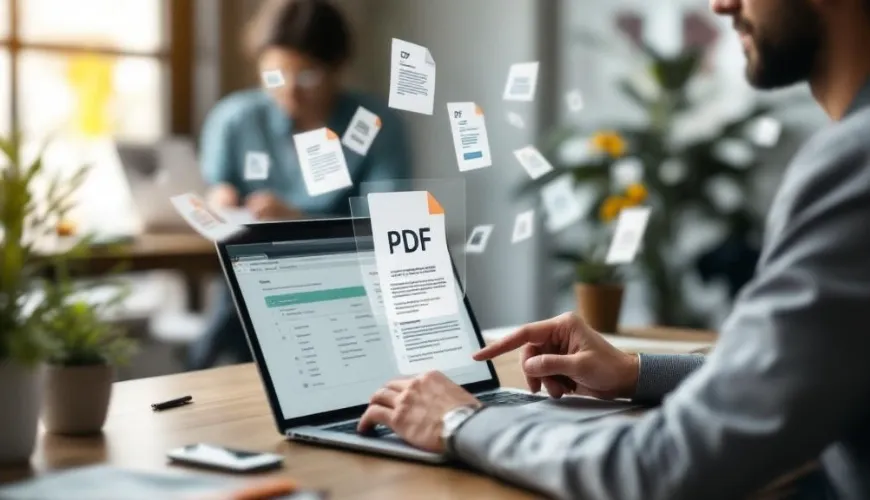
PDFs are one of the most widely used formats for sharing documents, but editing them can often be a hassle-especially if you don't have the right tools. Fortunately, online PDF editing tools have made it easier than ever to make quick changes without the need for complex software. Whether you're working from home, on the go, or just need to edit a PDF quickly, online editors provide a fast, hassle-free solution. In this guide, we'll walk you through the benefits of online PDF editing and provide practical tips to make your editing process as smooth as possible.
Why Choose Online PDF Editing?
Online PDF editors have become a go-to choice for many users who need to make changes to PDF documents without downloading any software. The convenience they offer is unmatched-accessing these tools from any device with an internet connection means you can edit PDFs anywhere, anytime. Let's dive into some of the reasons why online PDF editing is such a great solution.
The Convenience of Accessing PDF Editing Tools from Any Device, Anywhere
One of the main advantages of online PDF editors is the ability to access them from virtually any device. There's no need to worry about software compatibility, operating system requirements, or installation hassles. As long as you have a stable internet connection, you can start editing your PDF files in a matter of seconds.
No Need to Install Software; Just Open Your Browser and Start Editing
Gone are the days when you needed to install bulky software just to edit a PDF. With online PDF editors, all you need is your browser. Simply upload your PDF file, make the necessary changes, and download the edited version when you're done. This simplicity makes online editing perfect for users who need to make quick, minor changes without the complexity of traditional PDF editing software.
Advantages for Users on the Go or Who Don't Need Advanced Editing Features
For many users, a full-featured PDF editor with advanced features like OCR or extensive form-filling options isn't necessary. Online PDF editors are ideal for those who need to quickly edit PDFs online, adjust images, or add annotations without the need for advanced features. They're also great for people who travel frequently and need to make quick edits from different devices.

Essential Features for Hassle-Free PDF Editing Online
When looking for the best online PDF editor, it's important to consider the features it offers. Here are the essential features that will make your PDF editing experience easy and efficient:
Simple Text and Image Editing
Online PDF editors allow you to make quick changes to text and images in your document. You can replace existing text, edit font sizes, or even move images around without the complexity of full-featured software. Whether you're fixing a typo, updating a section, or adjusting an image, these simple editing tools are easy to use and require minimal effort.
Page Management
Sometimes, you need to add, remove, or rearrange pages in a PDF. Many online PDF editors offer easy-to-use tools that let you manage your document's pages. Whether you need to merge multiple PDFs, delete unnecessary pages, or reorder the existing pages, you can do it all with just a few clicks.
Annotation and Comments
Online PDF editors often include tools for adding comments, highlights, and other annotations. Whether you're collaborating with others on a document or need to mark specific sections for review, these features make it simple to leave notes and feedback. You can highlight text, draw shapes, or add sticky notes directly to the PDF, making it easy to communicate with others.
Signatures and Forms
If you need to digitally sign your PDFs or create fillable forms, many online PDF editors allow you to do this with ease. You can upload your signature, place it in the appropriate area of the document, and send it off instantly. Additionally, creating and filling out forms is made simple with online tools that allow you to add fields for text, checkboxes, or dropdown menus.
Step-by-Step Guide to Editing PDF Files Online
Editing PDFs online is straightforward, but knowing the steps can make the process even faster. Here's how you can edit your PDF online without hassle:
Uploading Your PDF
The first step is uploading your PDF to an online PDF editor. Most online tools make this step simple-just click the "Upload" button, select the file from your device, and the document will appear in the editor. It's that easy. Once your PDF is uploaded, you're ready to start making changes.
Editing Text and Adding Elements
After uploading your document, you can begin editing. Most online PDF editors allow you to click directly on text or images to modify them. If you need to add new text or elements, such as images or shapes, the editor will provide simple tools for inserting them into your document. Just click to place the new element where you want it and adjust it accordingly.
Downloading the Edited PDF
Once you've made all the necessary changes, downloading the edited PDF is simple. Just click the "Download" button, and the edited version of your PDF will be saved to your device. You can now share or store your updated document as needed.
Top Online PDF Editors for Effortless Editing
There are several excellent online PDF editors available, each with its own unique features and pricing structures. Here's a brief overview of some of the best options for hassle-free editing:
-
Lumin: Lumin offers an intuitive platform for editing, annotating, and signing PDFs online. It's ideal for users who need quick and easy editing without the complexity of advanced software. Lumin also integrates with cloud storage services like Google Drive, making it easy to access and save documents.
-
Smallpdf: A user-friendly tool for basic PDF editing, Smallpdf allows users to edit text, convert files, and add signatures with ease. It offers both free and paid versions, depending on your needs.
-
PDFescape: A versatile online PDF editor, PDFescape offers features for editing text, adding annotations, and filling out forms. It's an excellent choice for users who need a free, web-based PDF editor without the need to download software.
-
Sejda: Sejda is another great option for online PDF editing. It offers a variety of editing tools, including text editing, page management, and PDF conversion. Sejda also offers advanced features like OCR for scanned PDFs.
Each tool has its pros and cons, so consider your specific needs when choosing the best online PDF editor for you.
Tips for Smooth and Efficient PDF Editing Online
While online PDF editing is easy, there are a few best practices to follow to make the process smoother and more efficient.
-
Use a Reliable Internet Connection: Since you'll be working with cloud-based tools, ensure you have a stable internet connection to avoid interruptions during the editing process.
-
Save Frequently: While online editors automatically save your work in most cases, it's a good habit to manually save your progress as you go, especially if you're making significant changes.
-
Ensure Document Quality: Some online tools may compress your PDF files during the editing process. To maintain the quality of your document, check the final version to ensure no elements have been altered or reduced in quality.
-
Avoid Editing Large Files: Editing very large PDF files may take longer and could slow down your editing tool. If possible, split large PDFs into smaller sections before editing.
Quick and Easy PDF Editing Tips
Editing PDFs online offers a fast, convenient, and accessible solution for users who need to make quick changes without installing complex software. With the ability to edit text, manage pages, annotate documents, and add signatures, online PDF editors are ideal for anyone who needs to work with PDFs on the go. By following the steps outlined in this guide and choosing the right online editor for your needs, you can enjoy a hassle-free PDF editing experience that saves you both time and effort.