The Complete Guide to Gmail Extensions for Business Communication
By SendBridge Team · Published Dec 31, 2025 · 9 min read · General
Gmail has become the backbone of modern business communication. With over 1.8 billion active users worldwide and adoption by more than 90% of U.S. startups, Gmail dominates the professional email landscape. But the real power of Gmail lies not just in sending and receiving emails. It comes from the extensions and integrations that transform your inbox into a productivity powerhouse.
Whether you run a small healthcare practice, manage a sales team, or coordinate with remote workers, the right Gmail extensions can save you hours every week. This guide walks you through the most valuable Gmail extensions for business communication and how to choose the ones that fit your workflow.
Why Gmail Extensions Matter for Business Communication
The average professional receives about 121 emails per day, a commonly cited estimate from Google Workspace research. Managing this volume without the right tools leads to missed messages, delayed responses, and frustrated clients. Gmail extensions solve this problem by adding features directly inside your inbox. Beyond using extensions, you can further refine your workflow by exploring the best books on email marketing and productivity to gain expert insights into managing high volumes.
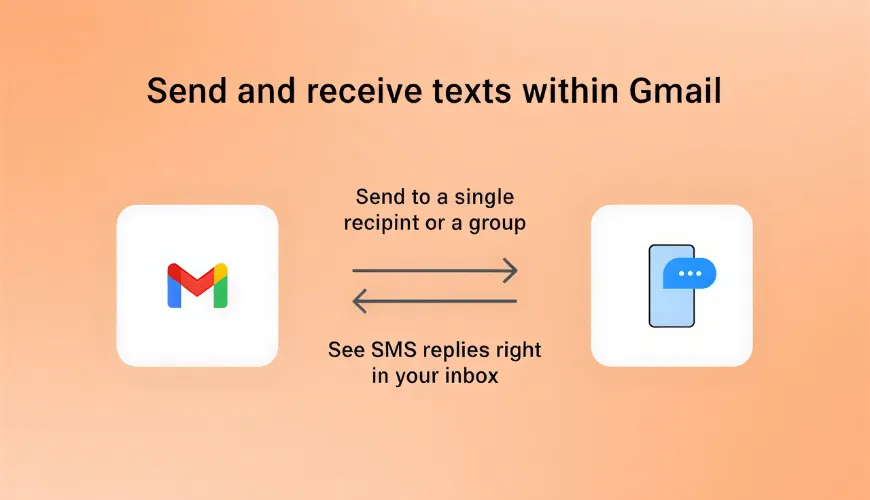
Some extensions help you schedule emails for better delivery times. Others let you track when recipients open your messages. And some of the most useful ones bridge the gap between email and other communication channels. For instance, an email to text message gateway allows you to send SMS directly from Gmail without switching apps or learning new software. This type of integration is especially valuable for businesses that rely on text reminders, appointment confirmations, or time-sensitive alerts.
The best part is that most Gmail extensions require zero technical setup. You install them from the Google Workspace Marketplace, grant the necessary permissions, and start using them immediately.
Essential Gmail Extensions for Productivity
Productivity extensions help you work faster and stay organized. They tackle common pain points like inbox clutter, repetitive tasks, and time management.
1. Email Scheduling and Send Later
Not every email should be sent the moment you write it. Scheduling extensions let you compose messages during your productive hours and deliver them when recipients are most likely to engage. This is particularly useful when working across time zones or when you want to avoid sending emails late at night. When setting these delivery times, it is helpful to clarify your expectations by using the cob abbreviation meaning to specify exactly when you need a response.
Gmail now includes native scheduling, but third-party extensions often provide more flexibility. You can set recurring sends, create follow-up sequences, and even adjust delivery times based on recipient behavior.
2. Email Templates and Canned Responses
If you find yourself typing the same responses repeatedly, templates are your best friend. Template extensions let you save common replies and insert them with a click. This saves time and ensures consistent messaging across your team.
Look for extensions that support variable fields. These let you personalize templates with names, dates, and other details without manual editing each time.
3. Inbox Organization and Labels
A cluttered inbox slows you down. Organization extensions automatically sort incoming messages, apply labels, and archive items you do not need immediately. Some use AI to learn your preferences and get smarter over time.
The goal is to spend less time managing your inbox and more time responding to messages that matter. Even a few minutes saved per day adds up to hours each month.

Communication Extensions That Bridge Channels
Email is not the only way your customers want to hear from you. Many prefer text messages, especially for time-sensitive communications like appointment reminders or delivery notifications.
4. Email to SMS Gateways
An email to SMS gateway converts your Gmail messages into text messages. You compose an email just like normal, but instead of landing in someone's inbox, it arrives on their phone as an SMS.
This approach works well for several reasons. First, your team already knows how to use email. There is no new software to learn or expensive platforms to maintain. Second, text messages have significantly higher open rates than email. People read texts within minutes, while emails can sit unread for hours or days.
Healthcare practices, dental offices, and service businesses benefit tremendously from this type of integration. Staff can send dozens or even hundreds of appointment reminders in minutes, all from the familiar Gmail interface they already use every day.
5. Shared Inbox Solutions
When multiple team members need to respond to the same email address, chaos ensues without proper tools. Shared inbox extensions let your team collaborate on incoming messages without stepping on each other's toes. Once you have your shared inbox set up, you should also learn how to address multiple people in an email to maintain a professional tone when communicating with your team. You can further streamline your team collaboration by setting up a reliable email to slack channel connection that keeps everyone informed without leaving their workspace.
Features like message assignment, internal notes, and collision detection prevent duplicate responses. Everyone can see who is handling what, which improves response times and customer satisfaction.
6. CRM Integrations
Customer relationship management extensions connect Gmail to your CRM system. Every email you send or receive automatically logs to the appropriate contact record. This eliminates manual data entry and ensures your sales team never loses track of important conversations.
Some integrations go further by pulling customer data into Gmail. You can see purchase history, support tickets, and previous interactions without leaving your inbox.
Security and Compliance Extensions
Business communication involves sensitive information. Security extensions protect your data and help you meet compliance requirements.
7. Email Encryption
Standard email travels across the internet in readable form. Encryption extensions scramble message contents so only intended recipients can read them. This is essential for businesses handling financial data, medical records, or legal documents.
Look for extensions that make encryption easy for both senders and recipients. Complex processes lead to workarounds that defeat the purpose of security.
8. Email Tracking and Read Receipts
Knowing when someone opens your email helps you follow up at the right time. Tracking extensions notify you when recipients view your messages, click links, or download attachments.
Use this information responsibly. Tracking is valuable for sales follow-ups and important business communications, but overuse can feel invasive to recipients.
9. Compliance and Archiving
Certain industries require businesses to retain email records for specific periods. Compliance extensions automatically archive messages, apply retention policies, and generate audit trails. This protects your business during legal disputes or regulatory reviews.
Common Challenges and Solutions
Even with the best extensions, businesses face recurring communication hurdles. Understanding these challenges helps you choose tools that address real problems.
Challenge 1: Messages Get Lost in Crowded Inboxes
Email overload means important messages often go unread. Customers miss appointment reminders, order confirmations sit unopened, and time-sensitive updates arrive too late.
Solution: Use multi-channel communication extensions that let you reach people through their preferred method. SMS has open rates above 90%, making it ideal for urgent messages. Combining email with text ensures critical information gets through even when inboxes overflow.
Challenge 2: Team Handoffs Create Confusion
When one person manages all communications, problems arise during vacations, sick days, or shift changes. Customers experience inconsistent service, and important conversations fall through the cracks.
Solution: Implement shared inbox and team collaboration extensions. These tools let multiple team members access the same conversations, see message history, and pick up where others left off. No single person becomes a bottleneck.
Challenge 3: Manual Processes Waste Time
Copying information between systems, sending repetitive messages, and tracking responses manually drains hours from your week. Staff spend more time on administration than on customer service.
Solution: Choose extensions with automation features. Template libraries, scheduled sends, and CRM integrations eliminate repetitive tasks. What once took an hour can happen in minutes with the right setup.
Challenge 4: Compliance and Record Keeping
Regulated industries need to retain communication records. Manually archiving emails is tedious and error-prone. Missing records during an audit creates serious problems.
Solution: Install compliance-focused extensions that automatically archive messages according to your retention policies. These tools generate audit trails and make retrieving historical communications straightforward.
How to Choose the Right Extensions
With thousands of Gmail extensions available, selecting the right ones requires careful consideration.
Tip 1: Start With Your Pain Points
Identify what slows you down or causes frustration in your current workflow. Do you waste time switching between apps? Do important messages get buried? Do customers complain about slow responses?
Focus on extensions that address your specific challenges rather than adding features you might never use.
Tip 2: Check Compatibility and Reviews
Not all extensions work well together. Before installing, check reviews and compatibility notes. Look for extensions with active development and responsive support teams.
Pay attention to how extensions handle your data. Read privacy policies and understand what access you are granting.
Tip 3: Consider Your Team
An extension that works for one person may not scale to a team. Consider how new tools affect collaboration, training requirements, and workflow consistency.
The best extensions feel invisible. They enhance your existing process rather than forcing you to change how you work.
Getting Started With Gmail Extensions
Installing Gmail extensions takes just a few steps. Visit the Google Workspace Marketplace, search for the extension you want, and click install. Grant the requested permissions and follow any setup instructions.
Start with one or two extensions and master them before adding more. Too many tools at once creates confusion and reduces adoption. Give your team time to build new habits before introducing additional changes.
Track the impact of each extension. Are you saving time? Are customers responding better? Use this data to decide which tools deserve permanent places in your workflow.
Final Thoughts
Gmail extensions transform a simple inbox into a comprehensive communication hub. From scheduling and templates to SMS gateways and CRM integrations, the right tools help you work smarter and connect better with customers.
The key is choosing extensions that solve real problems without adding unnecessary complexity. Start small, measure results, and build a toolkit that matches your unique business needs. Your inbox will thank you for it.