How to Protect Your Phone From Hackers Before It's Too Late
By SendBridge Team · Published May 02, 2026 · 8 min read · General
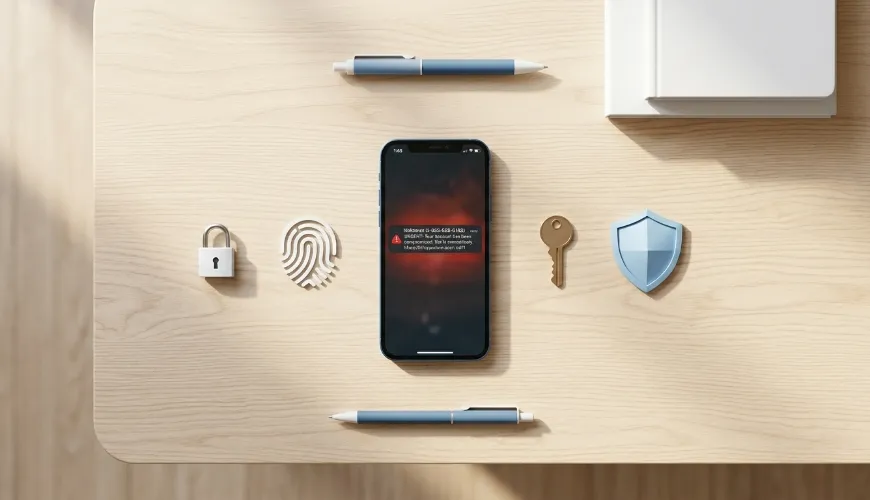
It only takes one wrong tap-a fake text, a suspicious link, or a sketchy app-and suddenly your phone isn't yours anymore. I didn't realize how easy it was for hackers to get in until I started paying attention to how these attacks actually happen. In the U.S., where we use our phones for everything from banking to identity verification, the risk is higher than most people think.
If you're trying to understand how to protect your phone from hackers, the key isn't fear-it's awareness. Once you know what to look for and how to respond, protecting your phone becomes a simple part of your daily routine.
Why Smartphones Are Easy Targets For Hackers
Most phone breaches don't happen because hackers break in. They happen because people unknowingly give access.
I've seen the same patterns repeatedly. Someone clicks a fake delivery link, installs a cloned app, or logs into a banking account using public Wi-Fi. That's all it takes.
In the U.S., where mobile banking, Apple Pay, and digital wallets are widely used, even one small mistake can expose sensitive financial data.
How To Protect Your Phone From Hackers Step By Step
The biggest shift I made was focusing on simple, repeatable actions instead of relying on one-time fixes.
I also realized that phone security works best when you treat it like an ongoing system, not a one-time fix. Concepts like pentest begins helped me understand how regular checks can reveal vulnerabilities before they're exploited.
That mindset made me more proactive instead of reactive. It turned protecting my phone from hackers into a habit rather than a task.
I started with my lock screen. A longer passcode combined with Face ID or fingerprint authentication made a noticeable difference. It sounds basic, but weak PINs are still one of the easiest ways attackers gain access.
Next, I stopped delaying updates. Whether you're using an iPhone or Android device, updates patch real security flaws that hackers actively exploit. Now I install them as soon as they're available.
I also moved beyond passwords. I enabled two-factor authentication on every important account and started using passkeys where available. This dramatically reduced my exposure to phishing attacks.
App downloads were another area I tightened. I only install apps from official stores and take a few seconds to check reviews and permissions. Fake apps are still one of the fastest ways hackers gain control of a device.
Over time, these small changes became routine-and that's what actually improved my security.
How I Stay Safe From Phishing Links On My Phone
This is where most people get hacked, and honestly, this is where I changed my behavior the most.
I now follow a strict "verify before you click" mindset. Hackers don't need access to your phone if they can trick you into giving it to them.
One habit that helped immediately was using the long-press preview on links. Whenever I receive a message that includes a link, I press and hold it without opening it. This shows the real URL. If a message claims to be from Amazon but the link shows something unfamiliar, I don't touch it.
I also follow what I consider the golden rule. I never log into sensitive accounts through links sent to me. Instead, I open my browser and manually type the official website or use the official app. If there's actually an issue, it will show up there.
Another thing I've learned is to watch for look-alike domains. Small changes like "goolge.com" or incorrect extensions like ".cm" instead of ".com" are common tricks. Hackers rely on people not paying attention.
If I'm unsure about a link, I run it through VirusTotal before doing anything. It checks the link across multiple security databases, which adds another layer of protection.
Shortened links are another red flag. If I receive a random message with a Bitly or TinyURL link, I treat it as a potential threat. These links hide the destination, which is exactly why scammers use them.
This one section alone probably reduced my risk more than anything else I've done.
How To Protect Your SIM And Mobile Number From Attacks
SIM swap attacks are becoming increasingly common across the United States, and they're particularly nasty when it comes to targeting people's banking and cryptocurrency accounts. After reading about how vulnerable we all are, I reached out to my carrier and added a PIN to my SIM card, which turned out to be one of those small but powerful security measures that really matters.
Essentially, what this does is prevent someone from being able to transfer my phone number to another device without that PIN, which means they can't intercept those verification codes that get sent via text message when I'm trying to log into my accounts.
The whole process was surprisingly straightforward and took just a few minutes, but here's the thing that really gets me-despite how easy it is to set up and how much protection it offers, most people still haven't done it, either because they don't know about it or they just keep putting it off thinking it won't happen to them.
Signs Your Phone May Already Be Compromised
I'll be honest-I used to brush off those little quirks in my phone's behavior without giving them a second thought, but now I've learned to actually pay attention to what my device is trying to tell me. When your battery suddenly starts draining way faster than usual, or apps begin acting weird in ways they never did before, or you notice downloads you definitely didn't initiate showing up on your device, that's your phone waving a red flag that something might be seriously off.
Unexpected spikes in data usage and those annoying random pop-ups that seem to come out of nowhere are also telltale signs that shouldn't be dismissed. Look, not every glitch or odd behavior automatically means your phone has been hacked or compromised, but here's the thing-ignoring these warning signs is exactly how small, manageable problems snowball into major security nightmares that could have been prevented if you'd just taken notice earlier.
What I Do Immediately If My Phone Gets Hacked
If I ever suspect something is wrong, I act fast.
I disconnect from the internet first. Then I change my passwords, starting with email and financial accounts. After that, I remove anything suspicious and run a security check.
If needed, I reset the phone completely and restore only essential data. I also contact my bank and mobile provider to secure everything and limit the impact of the cyber threat.
Speed matters here. The faster you act, the less damage a hacker can do when dealing with the cyber threat.
iPhone Vs Android Security: What Really Matters
I've been using both iPhone and Android devices for quite a while now, and honestly, I think the whole debate about which one is more secure gets blown way out of proportion. Sure, Apple devices have that reputation for tighter control over their app ecosystem and how updates roll out, which definitely helps reduce security risks in a lot of ways.
On the flip side, Google Android devices give you way more flexibility and customization options, but that also means you need to be more hands-on with managing your security settings and staying on top of things yourself. But here's the thing that really matters: whether you're Team iPhone or Team Android, your phone's security ultimately comes down to how you actually use it day to day.
At the end of the day, your habits and awareness are going to make a much bigger difference than whatever logo is on the back of your device.
Daily Habits That Actually Keep My Phone Safe
What made the biggest difference for me wasn't one tool or setting. It was consistent.
I check updates regularly, review permissions occasionally, and stay cautious with links every day. I don't rely on memory-I rely on habits.
That's the same idea I've seen discussed in detailed phone security insights on the paskweb platform, where the focus is on building simple, repeatable habits-which is what makes protecting your phone from hackers feel manageable instead of overwhelming.
FAQs About Phone Security
Can hackers access my phone without me doing anything?
In most cases, no. They rely on user actions like clicking links, downloading apps, or connecting to unsafe networks.
Is public Wi-Fi dangerous for mobile banking?
Yes, especially without protection. I avoid logging into financial accounts on public networks unless I'm using a secure connection.
Do I really need two-factor authentication?
Yes. It adds an extra layer of security and prevents unauthorized access even if your password is exposed.
Are iPhones completely safe from hackers?
No device is completely safe. iPhones are secure, but poor user habits can still lead to breaches.
What Actually Makes The Difference Long Term
When I first looked into how to protect your phone from hackers, I thought it would require complicated tools or constant monitoring. It doesn't.
What actually works is awareness, consistency, and a willingness to slow down before clicking anything. Hackers rely on urgency and distraction. Once you remove those, you make their job much harder.
Your phone doesn't need to be perfect. It just needs to be harder to break into than the next person's.