3DS Authentication Failed? Do This Instead!
By SendBridge Team · Published Aug 11, 2026 · 10 min read · General
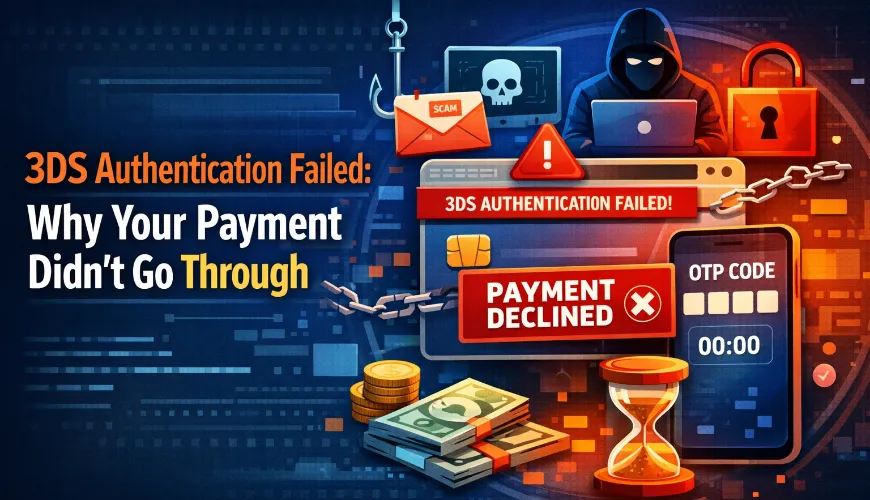
You tried to buy an email automation platform, but you saw the message that claimed "3DS Authentication Failed."
Your payment didn't go through, so now you have to pause and fix it before you miss your campaign deadline. Even if you're just shopping for yourself, this is annoying. But for a business that uses many SaaS tools, it can mess up your marketing campaign, cause deals to fall through, and lead to more problems down the line.
Failed payments cost the global economy about $118.5 billion each year in lost sales, lost productivity, and fees. In one study, every company surveyed said failed payments hurt their business, with nearly 61% losing sales and 65% seeing a drop in customer lifetime value.
A 'simple' authentication failure is rarely simple.
Let's look at what happens when 3DS authentication fails, what might really be causing it, and how you can fix it without risking your payment security or slowing down your business.
What is 3DS Authentication and Why Does it Fail?
3D Secure (3DS) is an added security measure for online transactions. It confirms your identity before a payment is processed using either a one-time password (OTP), biometric verification, or a personal identification number (PIN).
There are three domains involved in the 3DS process:
- The merchant (the store or platform where you're purchasing),
- The acquirer (your merchant's payment processor) and
- The issuer (the bank that issued your card)
Each domain communicates in real time to confirm that the person making the transaction is authorized to do so. If any part of this process fails, authentication will fail. 3DS authentication failures occur for a variety of reasons, such as entering incorrect information or technical issues. Knowing why these failures happen can help you respond more effectively.
Common Reasons Behind 3DS Authentication Failures
Most authentication failures come down to small oversights, not actual security problems. Here are a few ways to avoid common mistakes and save time when you need to authenticate a transaction.
-
If your OTP expires before you enter it, your transaction will fail. This often happens if you switch tabs or get distracted. If you see an 'invalid OTP' message, just request a new code instead of reusing the old one.
-
If your bank still has your old phone number or email, your OTP might go to the wrong place. By the time you check your old number or inbox, the code may have expired, or you might not have access at all.
-
For companies giving out virtual cards to remote employees, each card may need to be registered with 3DS before it can be used. If a team member tries to pay with an unregistered card, the payment will fail even if the card is active and funded.
-
If your card issuer still uses the old 3DS 1.0 protocol for recurring payments, you might see more failed subscription payments. Companies that haven't switched to 3DS 2.0 can run into regular payment issues for all their subscribers.
-
If you block pop-ups in your browser, the 3DS authentication page might not load, causing your payment to fail. Allow pop-ups for payment pages to avoid this problem.
-
If you use a VPN or work for an international company, your bank might flag your payment as suspicious. This is common when employees use corporate cards from one country to pay for tools used in another.

When It Becomes a Red Flag
If you see repeated or unexpected 3DS verification failures on accounts you haven't used, it could mean someone else is trying to access your account.
Account takeover and credentials stuffing attacks
Hackers get usernames and passwords from data breaches and use automated tools to test them on different financial sites and services. 3DS usually blocks these attempts, but if you see an error saying a transaction couldn't go through, it often means someone tried to break into your account.
Watch for these signs of unauthorized access, such as 3DS errors for transactions you didn't try, password change requests you didn't send, or logins from places you haven't been.
SMS-based OTP interception
If someone carries out a SIM-swapping attack, they can link your phone number to a device they control. This lets them intercept the SMS-based one-time password (OTP) sent to your phone during a 3D Secure (3DS) transaction. Because of this vulnerability, many platforms are starting to adopt alternative verification methods such as WhatsApp OTP to deliver authentication codes more securely.
If your business uses SMS-based two-factor authentication (2FA) to access any business applications, you're especially at risk. Once an attacker has your OTP, they can finish a fraudulent transaction and send you a message from the merchant saying "payment approved."
Session-based attacks
Many business applications you use, like project management tools, email platforms, or AI subscriptions, let you store payment details or renew recurring payments automatically.
If a cybercriminal gets into one of these applications through phishing, credential reuse, or malware, they can change your stored payment information or charge you for services using your saved payment details. Since the session is already authenticated, you won't get another 3D Secure (3DS) challenge. Security teams often overcompensate for these threats by aggressively filtering incoming messages, which unfortunately means that genuine invoices often get caught in the crossfire and paid late.
Phishing pages that mimic the 3DS flow
Cybercriminals are making fake authentication pages that look almost identical to real 3D Secure (3DS) authentication pages, complete with the bank logo and layout.
Phishing emails might include urgent messages about "account verification" or "suspicious transaction review." If you enter your one-time password (OTP) on one of these pages, you're actually giving it to the criminal, who can then use your OTP on the real platform right away.
What to Do When 3DS Authentication Fails
When 3DS authentication fails, it is usually either a technical issue or a sign of unauthorized activity. If it is a technical problem, try these steps first.
-
Request a new one-time password (OTP) instead of trying to use an old one that's expired. Most banks give you anywhere from 2 to 10 minutes before the code expires.
-
Update your contact information. Log in to the card issuer's portal to verify your details. If you manage multiple virtual cards for your business, check the information for all cardholders.
-
Temporarily turn off any pop-up blockers. Make sure you're using an up-to-date browser, and disable any extensions that might prevent the authentication window from appearing.
-
Check your virtual private network (VPN) settings. If you're making an international payment or using a VPN, try disabling it or setting it to your home country. If your location doesn't match what your card issuer has on file, it can trigger fraud alerts.
-
Ask your vendor about 3DS 2.0. If you're having recurring payment failures with a subscription, check if the vendor's payment system supports 3DS 2.0 exemptions for recurring payments. This is a vendor issue, not a card issue.
If you think it's more than just technical issues:
-
Contact your card issuer right away. Report any repeated failures you didn't initiate. The bank can freeze your card and check access logs for unauthorized attempts. Document the times of failures and any unusual messages or emails you receive.
-
Avoid using two-factor authentication (2FA) through SMS. Use an authenticator app, like Authy, Google Authenticator, or Microsoft Authenticator, on your business and finance accounts. SMS is a weak link in the authentication chain because of SIM swap attacks.
-
Audit your payment methods to see who has access. Review who can access payment accounts and restrict access to only those who need it. The person approving billing should be able to edit and see payment information. Everyone else should only be able to view invoices and have read-only access.
-
Set up real-time notifications for all spending transactions, no matter the amount. Fraudsters often test stolen payment methods with a small transaction before trying a larger one. A small $2.00 charge can be the first sign that your payment method has been compromised.
-
Review your connected accounts. Check your third-party applications to see which ones have access to your payment accounts. Remove unused applications and review older ones that don't meet current security standards.
The Impact of 3DS Authentication Failure
Sixty-four percent of organizations report that broken or failed payments create at least some workload impact for staff. Forty-seven percent say there is a severe operational impact when payment failures affect tool access.
When client tools are offline or memberships fail because of unexpected broken payments, the downstream costs are much higher than the transaction amount. Here are some long-term structural changes that can help reduce this risk:
1. Use a separate account for all payment types with recurring software subscriptions.
By using a dedicated corporate card for recurring SaaS and tool subscriptions, you can monitor payment transactions in one place. This makes it easier to spot transactions that don't match your usual payment patterns. If an account is ever compromised, the impact on your business is limited to just that one account.
2. Follow up on payment failures with a structured workflow.
When a payment fails for a client on your end, as the service provider that didn't receive it, automated processes help you recover revenue and keep subscribers. This also builds goodwill with your clients. You can use an email sequencing program to support this process.
3. Document the authentication architecture for the vendors of your critical tools.
For each critical tool, determine whether it uses 3DS 2.0, whether it has a PSD2 SCA exemption for recurring billing or any recurring payment notification, and whether it has a defined process for retrying previously failed payments.
Recording this information on each of your businesses' critical tool vendors will help you quickly and effectively manage the crisis should it occur.
4. Train remote employees on payment security basics.
Many remote and distributed employees use company cards, but they may not know how payment security works with 3D Secure (3DS) or what to do when a transaction fails.
Create a simple, high-value resource to help all remote teams handle transaction failures in a consistent way. An internal online guide can give employees information about one-time password (OTP) codes, how to keep their payment method records up to date, and how to report unexpected authentication failures.
The Bottom Line
A failure in the 3D Secure (3DS) authentication process usually means your payment system is working as expected, but you can't complete the transaction because of a temporary glitch. You can often fix these issues by checking whether you entered the wrong contact information, whether your credit card has been canceled, or if your browser doesn't support 3DS authentication.
Sometimes, a 3DS authentication failure can be a sign of possible fraud on your card. So, it's important to know the difference between a technical problem and a sign that your card may be compromised. Next time you see a failed 3DS authentication, take it as a sign to pay attention. Don't just try the transaction again.
Ask yourself why it failed, and make sure it isn't a sign of a bigger issue.