Does Capitalization Matter in Emails?
By David Sikola · Published Sep 28, 2026 · 11 min read · Email Deliverability
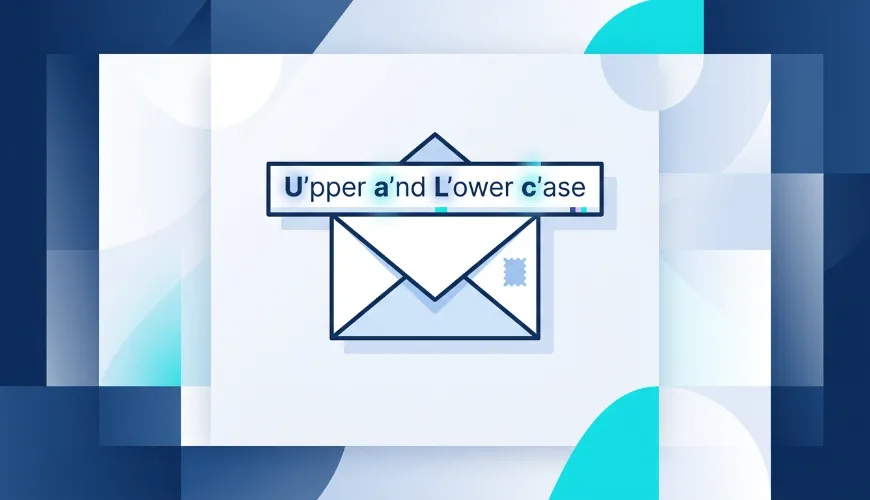
Capitalization in email feels like a tiny detail, but it quietly shows up in three very different places: the email address itself, the subject line, and the body. Each one follows different rules, and getting them mixed up is where most of the confusion comes from.
TL;DR:
- Email addresses are (almost always) case-insensitive.
John.Smith@Gmail.comandjohnsmith@gmail.comland in the same inbox at every major provider. - Subject line capitalization is a style choice, not a rule. It does not affect whether your email is delivered - but it strongly affects whether it gets opened.
- ALL CAPS and weird casing can hurt you - not because of the letters themselves, but because of how recipients and spam filters react to them.
This guide breaks down each case with the technical detail most articles skip, plus the deliverability angle that actually matters when you send at scale.
Part 1: Does Capitalization Matter in an Email Address?
This is the question that drives the most search traffic, and the answer has two layers: what the standard says, and what email providers actually do.
What the standard (RFC 5321) actually says
An email address has two parts split by the @ symbol:
local-part @ domain
john.smith @ gmail.com
The internet standard that governs email transport, RFC 5321, Section 2.4, makes a clear distinction:
| Part | Standard says | Reality |
|---|---|---|
Domain part (after @) |
Case-insensitive. Mailbox domains follow normal DNS rules. | Always case-insensitive. GMAIL.COM = gmail.com. |
Local part (before @) |
Case-sensitive. SMTP implementations must preserve its case - smith and Smith can be different users. |
In practice, treated as case-insensitive by virtually every provider. |
This is the part most guides get wrong. RFC 5321 doesn't merely allow a case-sensitive local part - it explicitly defines the local part as case-sensitive and instructs mail systems to preserve its case. By the letter of the standard, JohnSmith@example.com and johnsmith@example.com can be two entirely different mailboxes.
The same section, however, immediately adds the crucial caveat: exploiting that case sensitivity impedes interoperability and is discouraged. So the standard simultaneously defines local parts as case-sensitive and tells implementers not to rely on it. In the real world, essentially every provider resolved this tension the same way - by treating addresses as case-insensitive.
What email providers actually do
Every major provider treats the entire address as case-insensitive:
- Gmail / Google Workspace - ignores case completely. It also ignores dots in the local part (
john.smith@gmail.com=johnsmith@gmail.com) and treats anything after a+as an alias (johnsmith+newsletters@gmail.comstill arrives atjohnsmith@gmail.com). - Outlook / Microsoft 365 - case-insensitive.
- Yahoo Mail - case-insensitive.
- Apple iCloud - case-insensitive.
- Most corporate mail servers (Microsoft Exchange, Postfix, Zimbra) - case-insensitive by default configuration.
The practical takeaway: you cannot create two different accounts that differ only by capitalization. Typing your address with capitals will not break delivery, sign-ups, or password resets.
So why does this still cause real problems?
If addresses are case-insensitive, why does this question get searched 5,000+ times a month? Because casing causes problems outside the mail server:
- Application-level bugs. Mail servers don't care about case, but databases and login forms sometimes do. A poorly built sign-up system that stores
John@example.comand later checks forjohn@example.comcan lock users out. This is an application bug, not an email rule - but users experience it as "capitalization broke my email." - List matching and deduplication. If you run email marketing or a CRM, two records -
Customer@domain.comandcustomer@domain.com- can look like two different people unless you normalize addresses to lowercase. This inflates list counts and causes duplicate sends. - API and webhook integrations. Some third-party tools do exact-string matching. Inconsistent casing between systems can cause silent sync failures.
Best practice: always normalize email addresses to lowercase on input - in your forms, your database, and your CRM. It costs nothing and eliminates an entire category of edge-case bugs. If you're cleaning an existing list, lowercasing every address before deduplication is one of the highest-leverage hygiene steps you can take.

Part 2: Should Email Subject Lines Be Capitalized?
This is a completely separate question from addresses - and here, the rules are about psychology and open rates, not technical delivery. Capitalization in a subject line does not affect whether your email is delivered. It heavily affects whether it's opened.
There are three styles in common use. There is no single "correct" one - the right choice depends on context.
The three capitalization styles
1. Sentence case - capitalize only the first word and proper nouns.
Your invoice is ready for review
This is the most widely recommended style for modern email, especially marketing and outreach. It reads as personal, conversational, and human - the way a real person types a message to someone they know. It tends to outperform other styles in open-rate testing for cold outreach and newsletters because it doesn't look like a broadcast. Using clear and professional language is essential, so you should also learn what is EOD in email to avoid confusion when setting deadlines for your recipients.
2. Title Case - capitalize the first letter of every major word.
Your Invoice Is Ready for Review
Articles, conjunctions, and short prepositions (a, an, the, and, but, or, in, on, at, to, for, of) stay lowercase unless they're the first or last word. Title case looks polished, formal, and official. It works well for transactional emails (receipts, statements), corporate announcements, and B2B contexts where authority matters more than warmth.
3. lowercase - no capitals at all except proper nouns.
your invoice is ready for review
This reads like a quick text message. It can feel ultra-casual and personal in the right audience (some consumer brands and creators use it deliberately), but it risks looking careless or unprofessional in most business contexts.
4. ALL CAPS - avoid this.
YOUR INVOICE IS READY FOR REVIEW
Full capitalization reads as shouting, looks aggressive, and is one of the classic patterns spam filters and recipients associate with junk mail. A single capitalized word for genuine emphasis is fine; a whole subject line in caps is not.
Quick comparison
| Style | Example | Tone | Best for |
|---|---|---|---|
| Sentence case | Your account is almost set up |
Personal, conversational | Cold outreach, newsletters, drip campaigns |
| Title Case | Your Account Is Almost Set Up |
Polished, formal | Transactional emails, B2B, corporate |
| lowercase | your account is almost set up |
Ultra-casual | Specific consumer/creator brands only |
| ALL CAPS | YOUR ACCOUNT IS ALMOST SET UP |
Aggressive / spammy | Never (single word for emphasis only) |
What about "thank you", "your", and other tricky words in a subject?
A few that come up constantly:
- "Thank You" / "Thank you" - in sentence case, write Thank you. In title case, Thank You. Both words are capitalized in title case because "thank" is the first word and "you" is treated as a major word.
- "your", "you" - these are pronouns and major words. Capitalized in title case (Is Your Account Ready?), lowercase mid-sentence in sentence case (Is your account ready?).
- Prepositions like "in", "to", "for" - lowercase in title case unless first/last word.
- Acronyms and brand names - always keep their correct casing regardless of style: DMARC, SPF, iPhone, YouTube. Never lowercase a proper noun to match a style.
The one rule that actually matters: consistency
The specific style you pick matters far less than picking one and applying it consistently across a campaign and across your brand. Mixed casing within a single send sequence makes a brand look disorganized and can subtly erode trust. Choose the style that fits your audience and standardize it.
Part 3: Does Capitalization Affect Email Deliverability?
This is where SendBridge can give you a more precise answer than most guides, because the honest answer is: it depends on where the capitalization is.
The email address: no impact
As covered above, casing in the address itself has zero effect on deliverability. Spam filters do not score you up or down based on whether your From address has capital letters. Modern filters normalize addresses before evaluating them.
The subject line and body: indirect impact
Capitalization in the subject line and body does not directly trigger a spam classification on its own - modern filters like SpamAssassin and Rspamd are far more sophisticated than the old "ALL CAPS = spam" rule of thumb. But it contributes to patterns that do matter:
- SpamAssassin still includes rules that add a small score for subject lines that are entirely or excessively uppercase (historically rules in the
UPPERCASEfamily). On its own this is a minor signal - a fraction of a point - but it stacks with other weak signals. If your email is already borderline, an all-caps subject can be the difference between inbox and spam. - Engagement is the real lever. This is the part most articles miss. The dominant factor in modern deliverability is recipient engagement - opens, replies, and the absence of spam complaints. An aggressive ALL CAPS subject suppresses open rates and increases "mark as spam" clicks. Over time, low engagement and complaints damage your sender reputation, and that is what sends future emails to spam - not the capital letters themselves.
In other words: capitalization rarely sends a single email to spam by itself. But poor capitalization choices that tank engagement will, over weeks, degrade the sender reputation that determines deliverability for every email you send afterward.
How to actually check this
If you're sending at volume and worried about how your subject lines, content, and authentication interact with spam filters, guessing is not a strategy. Run your actual email through a deliverability test that scores it against real spam-filter rules (SpamAssassin/Rspamd), checks your SPF, DKIM, and DMARC authentication, and verifies you're not on any blacklists.
Test your email before you send to your whole list. SendBridge's free Mail Tester sends back a deliverability score with the exact spam-filter rules your message triggers - including subject-line and content signals - plus a full SPF/DKIM/DMARC authentication check. It takes about 30 seconds and shows you precisely where the risk is, instead of guessing.
Frequently Asked Questions
Are email addresses case sensitive?
In practice, no. Every major email provider - Gmail, Outlook, Yahoo, iCloud - treats addresses as case-insensitive. The RFC 5321 standard technically defines the local part (before the @) as case-sensitive, but the same standard discourages relying on this, and essentially no real-world mail server enforces it.
Does capitalization matter in a Gmail address?
No. Gmail ignores capitalization entirely. It also ignores dots in the username and treats +tag as an alias, so John.Smith+news@gmail.com and johnsmith@gmail.com reach the same inbox.
Should the subject of an email be capitalized? At minimum, capitalize the first word and any proper nouns (sentence case). Beyond that, title case and sentence case are both valid - choose based on whether you want a formal or conversational tone, and stay consistent.
Should you capitalize every word in an email subject line? Only if you're deliberately using title case (capitalize major words, leave articles and short prepositions lowercase). It is not required, and for marketing and cold outreach, sentence case (only the first word capitalized) often performs better on open rates.
Is it bad to use ALL CAPS in a subject line? Yes. It reads as shouting, lowers open rates, increases spam complaints, and adds a minor spam-filter score. Use a single capitalized word for emphasis at most.
Does capitalization affect whether my email goes to spam? Indirectly. The casing of your address has no effect. An ALL CAPS subject adds a small direct spam-filter score and, more importantly, suppresses engagement - and low engagement damages the sender reputation that actually controls deliverability over time.
Should I store email addresses in lowercase in my database? Yes. Since addresses are effectively case-insensitive, normalizing to lowercase on input prevents duplicate records, list-matching errors, and login bugs. It's a free, high-value data-hygiene step.
Summary
| Where | Does capitalization matter? | What to do |
|---|---|---|
| Email address | No - case-insensitive everywhere in practice | Normalize to lowercase in your systems |
| Subject line | Yes - for open rates, not delivery | Pick sentence or title case; be consistent; never ALL CAPS |
| Deliverability | Indirectly, via engagement & reputation | Avoid ALL CAPS; test before sending at scale |
Capitalization won't make or break a single email on its own. But the habits around it - clean address handling, a consistent subject-line style, and avoiding the spammy patterns - compound into the sender reputation that determines whether your emails reach the inbox at all.
Before your next big send, run a free deliverability test with SendBridge's Mail Tester to see exactly how your subject line, content, and authentication score against real spam filters.