Best Humanizers for Cold Emails
By SendBridge Team · Published Apr 20, 2026 · 20 min read · Email Deliverability

The use of cold email as an effective means to reach out to potential customers remains strong; however, there exists a problem with cold email. Your cold email will be flagged for being automated or spam if you send a cold email that sounds too mechanical or if your cold email triggers the spam filter of your recipient's email provider.
Sales representatives and marketers who utilize AI to assist with scaling their cold outreach efforts experience this issue daily. Although the cold emails look polished, they lack the personality and authenticity that people recognize from the very beginning of reading a cold email.
This is where humanizing AI comes into play. Humanizing AI takes your draft cold emails generated by AI and modifies them to sound more natural, personal, and genuine. AI humanizers alter the way sentences are structured in the cold email, vary the language used, and remove obvious indications of an AI generating the cold email. A high-quality humanizer has become a necessity for anyone involved in large-scale cold email outreach efforts.
Why Cold Emails Get Flagged as AI-Generated
Most AI content creation systems develop in predictable ways. Many of them write with the same type of sentence construction; most use a very formal tone, and most come off as having been written and then rehearsed for delivery. With many improvements made to both email service provider filtering and spam filtering, your carefully crafted outreach message may not ever even be able to get into an inbox.
It is also the human factor. Human recipients of cold pitches have now seen so many generic cold pitches that they can identify another generic cold pitch immediately. If you send out a generic cold pitch that sounds just like every other generic cold pitch that has been sent to the recipient, your email will not get read. A humanizer is designed to eliminate those patterns and allow your email to appear as if it were written by a real person who truly cares about the recipient.
How We Tested These Tools
We didn't just look at feature lists and marketing claims. Each tool on this list was tested with real cold email scenarios to see how well it handled different writing styles and industries. Here's what we focused on:
- Running AI-generated cold emails through each humanizer
- Testing the output against popular AI detectors like Turnitin and GPTZero, including an AI humanizer tool.
- Checking whether the humanized text still felt natural to read
- Comparing pricing and ease of use across different platforms
- Getting feedback from actual sales teams using these tools
What Makes a Good Email Humanizer
Most artificial intelligence (AI) writing tools have repetitive patterns. Writing tools generally utilize the same sentence structure, too formal language, and too robotic tone, and as such, most recipients will recognize your outreach message immediately.
There are two ways in which email filtering and spam detection have improved: first, through automated filtering systems; second, through the human side of the recipient. Today, recipients see so many generic cold emails that if your message appears to be just another generic cold email, the recipient will ignore your message.
The main objective of a humanizer like MyHumanizer is to identify, interrupt, and eliminate the repetitive patterns of AI-generated writing and replace them with a message that feels like it was generated from a human being who genuinely cares about the recipient.
Not all humanizers are alike. There are some excellent humanizers for generating content for blogs; however, humanizers may not generate quality content for email messages. Below are several key differences in the top-performing humanizers:
- The ability to adjust tone to accommodate the specific industry. Depending on the industry, cold email messages require vastly different tones (casual, professional, persuasive). An effective humanizer will have the capability to shift seamlessly between these three basic tone styles.
- Processing speed - if you are sending out hundreds of emails per week, you cannot afford to wait for a humanizer to process each message.
- Bypassing detection from AI flagging tools. The core mission of any humanizer is to bypass AI detection tools. If a tool fails to deliver consistent results in this area, it's simply not worth your time."
- Readability - the generated content from the humanizer should read naturally and flow well, as opposed to sounding overly complicated or forced. If the generated content reads like it was forced, then the humanizer fails its purpose.
- Scalability - regardless of whether you are sending out ten emails or one thousand emails, the humanizer must be able to support your volume without failing.

Best Cold Email Humanizers in 2026
If you're looking for a reliable way to make your AI-generated cold emails sound more human, these are the tools that actually deliver.
Walter Writes AI - Best Overall for Cold Email Personalization
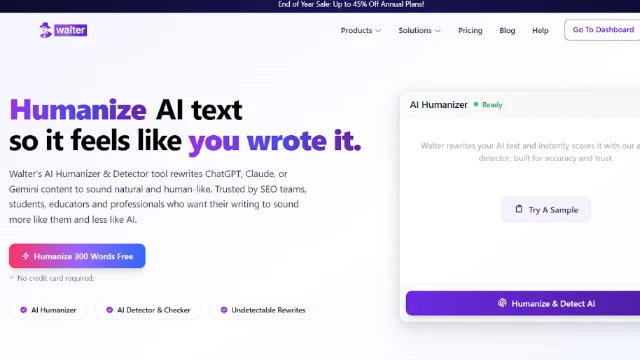
Walter Writes is an AI engine that is designed to write content that will avoid detection by the majority of AI-detection tools (e.g., Turnitin, GPTZero, etc.) and look like a person wrote it.
It is more than a simple paraphrasing tool. Walter utilizes a multi-tiered architecture in its systems. This architecture includes modifying sentence structures, adding variations, and eliminating the repetitive patterns that are often found in AI-generated content. These features are significant when using Walter for cold emails. Many sales organizations utilize Walter to take their AI-generated draft cold emails and modify them so they appear as though they were written personally and conversationally. Walter has multiple tones available, including a Professional Mode that can be used for B2B outreach and a Casual Mode for industries that have a less formal approach. In addition, processing is rapid, typically taking less than 30 seconds to generate each email, making it practical for high-volume campaigns.
The key differences of Walter:
- Avoids detection from top AI detectors (Turnitin, GPTZero, etc.)
- Has multiple tone options (Professional Mode, Casual Mode, Marketing Style)
- Offers pre-scan verification on the humanized text before output
- Can support 80+ languages for international outreach
- API access for enterprise users who need automated solutions
- Pricing begins at approximately $12/month for 30,000 words, which is more than sufficient for most cold email campaigns. Walter also has a free tier of 300 words available for testing before purchase.
Clever AI Humanizer – Convert AI-Generated Text into Natural Human Writing Instantly
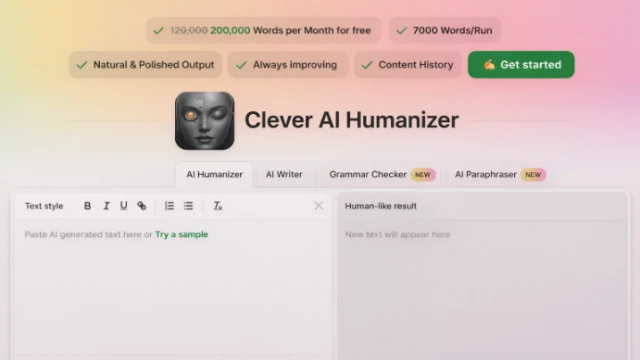
Clever AI Humanizer is a powerful free AI-to-human text converter designed to transform AI-generated content into natural, readable, and publication-ready writing. Built for writers, marketers, students, SEO professionals, and businesses, the platform focuses on eliminating recognizable AI patterns while preserving meaning, tone, and content quality.
Unlike traditional rewriting tools that randomly replace words or introduce unnatural phrasing, Clever AI Humanizer applies intelligent pattern refinement to produce polished, human-like content suitable for blogs, websites, academic writing, marketing copy, and professional communication.
The platform offers one of the most generous free usage models available, allowing users to humanize large volumes of AI content every month without ads, subscriptions, or hidden paywalls. Each run supports thousands of words while maintaining smooth readability and consistent writing flow.
Key Features:
- 100% Free AI Humanization
- Natural & polished human-like output
- Up to 120,000–200,000 words monthly usage
- Large text processing per run
- Content history tracking
- Continuous AI model improvements
- Supports SEO, academic, and professional writing
Clever AI Humanizer works by reducing common AI writing signals instead of damaging content structure. This approach helps produce text that reads naturally to human audiences and performs better when reviewed through popular AI detection systems, while maintaining responsible and ethical content usage standards.
Essay Humanizer - Make AI Generated Cold Emails Sound Natural and Personal
Free AI humanizer by Essay Humanizer is a specialized AI humanization tool designed to transform AI generated cold emails into natural, human sounding messages that are ready to send. Built for marketers, sales teams, freelancers, and SEO professionals, the platform is centered on eliminating robotic patterns from AI written text, without altering the original meaning, tone, and intent of the message.
Unlike basic paraphrases that randomly substitute words and restructure sentences, Essay Humanizer harnesses language refinement intelligence to shift the flow of sentences, balance the tone, and rephrase content. This allows outreach emails to be more conversational and authentic, which is critical when sending cold emails that require building trust with recipients in a very short time.
The tool is particularly useful for cold email campaigns where AI generated drafts often sound too formal or mechanical. Essay Humanizer improves readability, introduces natural phrasing, and removes common AI writing signals that can trigger spam filters or AI detection tools.
The platform is built for both small outreach campaigns and large scale email operations. Users can process multiple drafts quickly while maintaining a consistent tone and natural writing style across their outreach messages.
Key Features:
- Natural human-like rewriting for AI generated emails
- Improves readability and conversational tone
- Removes common AI writing patterns
- Fast processing suitable for bulk outreach campaigns
- Simple interface with no technical setup required
- Supports outreach emails, marketing content, and professional communication
Essay Humanizer helps sales teams and marketers convert AI generated cold email drafts into messages that feel authentic and personal, increasing the chances that recipients will actually read and respond to the outreach.
Grammarly AI Humanizer - Best for Grammar-Focused Teams
Grammarly has been a trusted resource for writers for many years, and their AI Humanizer is an extension of the same trust. It was created to improve upon AI-generated content by making it less robotic, as well as providing grammar correction and clarity improvements. For sales teams that focus on sending polished and error-free emails to customers, Grammarly is a good option.
Grammarly offers an integration into your browser (Chrome) so you can humanize your AI-generated text without having to switch from one application to another. If you are currently using Grammarly as a proofreader and would prefer a single source for all of your writing needs, this is the way to go. To humanize your text, simply copy the AI-generated content, then select the "Humanize" button in Grammarly; once you do, Grammarly will rewrite your content in a format that is much easier to read and appears more natural than the original content.
Key Features:
- Grammar and style checking are integrated into the tool
- A browser extension is provided so that using Grammarly is seamless
- Adjusts the tone of content based on your audience
- Integrates with email platforms like Gmail
- Grammarly's Humanizer is included with their Premium Plan, which costs approximately $12–$15/month, depending on how you choose to bill.
Quillbot AI Humanizer - Best Budget Option
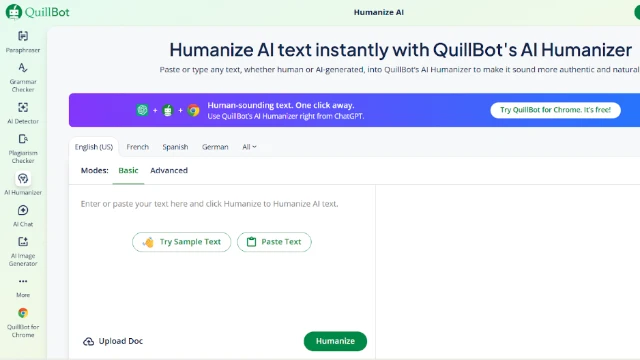
Quillbot offers an affordable, low-cost version of AI humanization. This is an easy-to-use tool that gets the job done at a lower cost than other AI humanizers. If you are a freelancer, a small business owner, or new to sending cold emails, this is a good option to try first.
The humanizer in Quillbot uses AI to rewrite AI-generated text and adds some variation to help make it less detectable. It does not have all the features that Walter has, nor is it as advanced as Grammarly; however, it is a solid tool for writing basic cold emails that do not require high levels of customization. The user interface is very easy to use, and the processing time is quick enough to handle small batches of emails.
What you receive when using Quillbot includes:
- Low costs (usually below $10/month)
- An extremely easy-to-use interface with little to no setup
- Different paraphrasing options that can be adjusted to change the tone and complexity
- A free tier is available to those who will use it lightly
If you are trying out the concept of AI humanization with your cold emailing, Quillbot is a great place to begin. As it is an affordable solution, you may wish to test the waters before investing in a higher-end product.
Jasper Paraphrasing Tool - Best for Marketing Teams
Jasper is mainly a writing assistant using AI technology; however, its rewriting feature has humanizing capabilities. It is best suited for content marketers or anyone else needing to write numerous articles or copy (i.e., cold emails, landing pages, etc.) quickly. The main focus of Jasper is to make sure your message gets across clearly, yet makes it seem like you didn't use AI.
Jasper is appealing to many marketing teams since it easily integrates into their current workflow processes. For example, you can create an email with Jasper's AI, and then send it to the rewriting tool to humanize the email prior to sending it out. This provides marketing teams with a seamless process to save time and have all of their processes available within one application.
How Marketing Teams Use Jasper:
- AI Writing Assistant (included in Jasper) to create emails
- Rewriting Tool (also included in Jasper) to rewrite the content based on the tone and style you want to convey
- Pre-designed Templates (specifically created for Sales and Marketing)
- Full support for long-form content
The cost of Jasper is slightly above average for a tool of this type, with prices beginning at $40 per month. However, this price includes all of the writing features in addition to the rewriting features.
Ahrefs AI Humanizer - Best for SEO-Focused Outreach
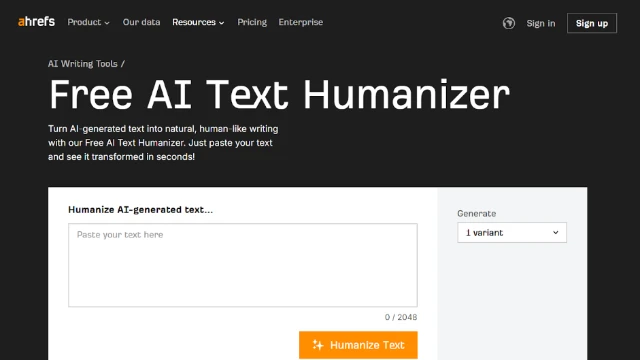
While Ahrefs is best known for its Search Engine Optimization (SEO) tools, its artificial intelligence (AI) humanizer also does a great job of making cold email messages sound more like humans wrote them, particularly when your email outreach relates to link building and/or content partnerships.
The humanizer was developed to help you write AI-generated messages in a way that sounds like they were written by humans, while at the same time keeping the focus and brevity of the original message.
If you are an SEO professional who sends cold emails to the owners/editors of websites, using Ahrefs makes a lot of sense, as it fits into the workflow of what you are likely already doing. Using Ahrefs allows you to research potential contacts, create drafts of outreach emails, and then "humanize" those drafts all within the same platform.
The humanizer is very simple and does a good job for shorter emails that require getting straight to the point.
What makes Ahrefs helpful:
- Has a humanizer built into a platform that many SEO teams are already using
- Fast processing time with little to no setup required
- Focuses on clarity and concision
- Has a free version for testing purposes
Ahrefs has both a humanizer and a paraphrasing tool, so you can choose which one works best for you. Ahrefs' pricing is part of their entire SEO suite, which starts at about $99/month; however, the writing tools are included in the cost.
Writesonic AI Humanizer - Best for High-Volume Campaigns
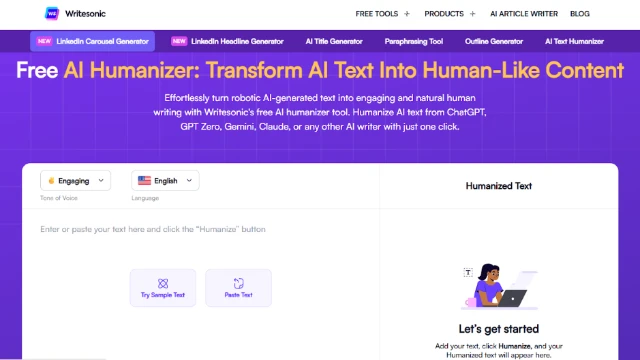
Writesonic is a high-speed and scalable solution. If you are sending massive volumes of cold email or require rapid humanization of drafts for hundreds of potential clients, Writesonic will handle those tasks at the same rate as you send them. The Writesonic solution has been developed for use by agencies and sales teams that cannot afford to have any bottleneck in their workflow.
The Writesonic humanizer functions by rewriting AI-generated content to lower the risk of being detected while maintaining the original message of the content. While Writesonic may be one of the least sophisticated solutions on our list, it is a reliable and fast solution for teams working with very high-volume batches of emails.
Why high-volume teams use Writesonic:
- Rapid processing speeds, even when processing multiple large batches of email
- Templates for common cold email-type scenarios
- Access to the API for automating workflows
- Multi-language support for international cold emailing campaigns
Pricing begins around $16/month for standard plans, with more expensive plans available for large corporate users needing unlimited processing.
Small SEO Tools AI Humanizer - Best Free Alternative
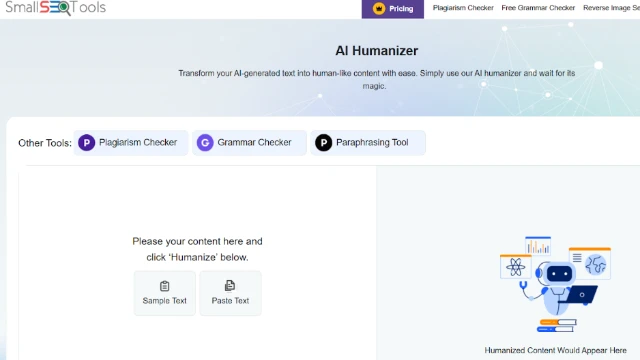
A free version of a humanizing tool can be helpful when cost is a concern, and you want a no-cost option to work. While it is not as clean or polished as paid versions of tools, it will get the job done for small cold email campaigns using AI-generated content. There are many free options offered on Small SEO Tools, such as an AI humanizer and paraphraser.
The humanizer is very simple. You copy and paste your AI-generated email into Small SEO Tools, select your tone, and it writes the email in a way that sounds like a person wrote it. This will likely not fool an aggressive AI detector; however, it is good enough for casual use and small-scale campaigns.
Small SEO Tools offers:
- It is completely free; there is no subscription
- Humanizing and paraphrasing options exist
- Easy to learn and use
If you want to try out AI humanizing before spending money on a tool, this is a low-risk option.
Summary Comparison Table
| Tool | Best For | Pricing | Free Trial |
|---|---|---|---|
| Walter Writes AI | Overall, cold email personalization | ~$12/month | 300 words free |
| Grammarly AI Humanizer | Grammar-focused teams | ~$12-15/month | Limited free version |
| Quillbot AI Humanizer | Budget-conscious users | Under $10/month | Yes |
| Jasper Paraphrasing Tool | Marketing teams | ~$40/month | 7-day trial |
| Ahrefs AI Humanizer | SEO-focused outreach | Included in suite (~$99/month) | Limited free tier |
| Writesonic AI Humanizer | High-volume campaigns | ~$16/month | Yes |
| Small SEO Tools AI Humanizer | Free alternative | Free | N/A |
Common Mistakes When Humanizing Cold Emails
In addition to selecting an effective humanizer, there are many other factors that can negatively affect your results from your cold emails. Some of the most common errors include:
- Relying too heavily on your humanizer without verifying your output. A humanizer can cause awkward wording or change the overall intent of your message if you do not verify your final product prior to sending it out.
- Use the same humanization settings for each of your emails. The level of formality (tone) required by your industry and/or audience varies greatly. For example, a casual tone is generally used at creative agencies; however, it may be perceived as unprofessional when applied to companies within the finance or legal fields. Therefore, adjust your humanization settings appropriately depending upon your intended audience.
- While the use of a humanizer provides a high degree of personalization, it is imperative that you also personalize your messages beyond the capabilities provided through the humanizer. For example, while a humanized email may have addressed the recipient by name and corrected the automated patterns contained in the original AI-generated email, it is unlikely to produce strong results if it begins with a generic line such as "I came across your company." Therefore, utilize the humanizer to correct the AI-generated patterns, and then manually insert additional personalized information to make the message relevant to the recipient.
Questions to Ask Before Choosing a Tool
- Is the tool consistent in passing through AI detectors?
If the humanizer does not pass AI detectors consistently, then it will not be solving the primary issue. Test the output of the tool with tools such as GPTZero or Turnitin prior to spending money on the tool. - How long does the tool take to process requests?
Processing time is very important if you are doing high-volume campaigns. Look for a tool that processes in 30 seconds or less. - Can the tool produce different types of email tone?
Depending on the type of campaign you are running, you may want to have the ability to change the tone of your email from Professional to Casual to Persuasive. - Is there a free trial or tier level of service?
It is always a good idea to test a product before purchasing it. Look for a tool that allows you to test a few samples prior to subscription. - Does the tool integrate with your current workflow?
If you are currently using specific platforms to manage your cold email campaigns, check to see if the humanizer integrates with those platforms or if you would have to copy and paste data into it. - What is the word limit per request?
Check to ensure that the tool will allow you to input the same length of cold emails that you normally send out without having to make multiple submissions.
FAQ
What are some potential ways to avoid being caught using AI to write my emails?
Most "human" AIs will get past most AI email detection tools; however, there is no guarantee against getting caught. While the best tools (like Walter Writes AI) have many layers of processing to help lower the chances of getting caught by detection tools, it is always best to check your final output on a detection tool to make sure.
Will humanizing my cold email change the content?
Yes, it can. It is very easy to mess up when using humanization technology, as they will adjust the structure and tone of the email to fit their own style and/or personality. Always review your output to ensure that the humanized version says exactly what you wanted the original version to say.
How much time will it take to humanize a cold email?
Depending on how simple or how complicated your email is, most of the humanization tools available will take less than a minute to complete. For example, for simple emails (just stating your name, etc.), this may take anywhere from 10–30 seconds to accomplish, and for longer and/or more complicated versions, this could take a little bit longer.
Will a paid tool give me better results than a free tool?
In general, yes. A paid tool will provide you with better results than a free tool. Paid tools will allow you to bypass detection better, faster, and with more options for tone, etc., and if you are planning on doing serious cold emailing, a paid tool is worth the investment.
Can I use these tools for non-cold emails as well?
Yes. The tools mentioned above will also create humanized versions of all types of emails, whether you are creating a follow-up, newsletter, or internal communication, etc. The rules are the same.
If I use an AI to help me humanize my cold emails, will the recipient know that I used an AI to assist me?
Probably not, depending on how good the tool was at humanizing your email. The goal is to make your cold emails look like they were written by a human. If the output appears to be natural and personalized, it should appear to the recipient that they were written by a human.
How do I determine which tool is going to be the best for my business/industry?
Try out several of the different tools available with your common cold email template(s), see which one provides the best natural output for your target audience, and test them before purchasing. Many of the tools available offer free trials or tiers to let you compare.