2026 Cold Email Automation: B2B Strategies for 50% Reply Rates
By SendBridge Team · Published May 15, 2026 · 8 min read · Email Deliverability
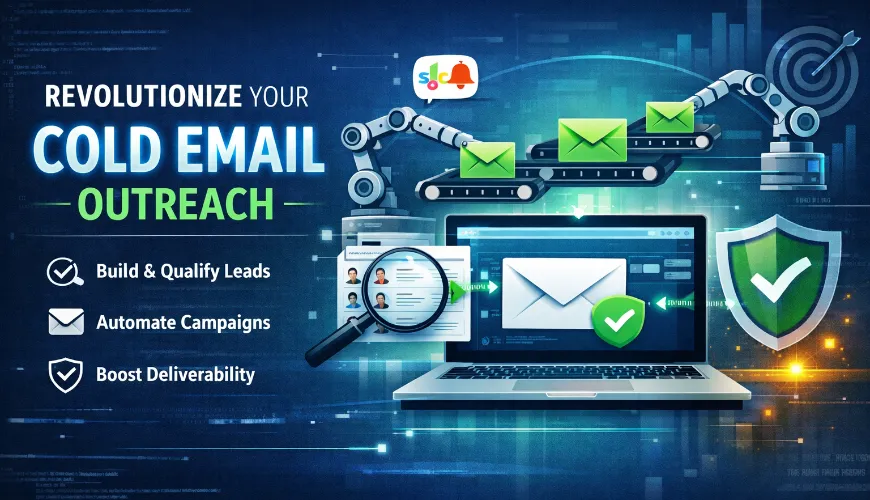
Cold email has a reputation problem. Many B2B teams either dismiss it as outdated or invest heavily in enterprise tools that take months to implement, yet still underperform.
The reality is different for teams that adopt a smarter, leaner approach.
Modern B2B sales teams are automating large portions of their outreach, list building, lead enrichment, company qualification, and personalized emails, without breaking the bank or overcomplicating workflows.
Here's how effective cold email systems work today, and how your team can replicate them.
Why Most Cold Email Programs Break Down Before They Start
The root cause of most cold email failures is not the copy. It is not even the targeting. It is tooling fragmentation.
The typical workflow looks something like this: pull a lead list from Apollo or LinkedIn Sales Navigator, export it as a CSV, clean the data manually, import it into an enrichment tool like Clay, re-export, then upload into an email sequencing platform. And somewhere in that process, data degrades, leads go stale, and a well-intentioned campaign produces a 2% reply rate.
Every manual handoff between tools is a leak in the system. The fix is not more tools. There are fewer, better-connected ones.
Step 1: Build Your Lead List Without Leaving Your Sequencing Tool
The single biggest time sink for most sales reps is finding the right leads. The most common mistake is treating lead sourcing and email outreach as two separate workflows that need to be manually bridged every single time.
The smarter approach is to use a platform where lead discovery and campaign execution live in the same place.
Smartlead's SmartProspect feature is built on exactly this principle. With a database of over 300 million verified contacts, teams can filter by job title, industry, company headcount, location, and revenue bracket, and immediately push those leads into an active campaign without touching a CSV file.
What makes this especially valuable is the built-in verification layer. Because Smartlead processes millions of cold emails daily, the platform continuously validates contact data in real time. The result is a lead list that is both current and far less likely to bounce, which matters enormously for deliverability and sender reputation. For companies that want to fully leverage this level of data accuracy and maintain consistent inbox placement at scale, working with an email marketing agency can help transform verified leads into structured outreach systems that protect domain health while driving measurable pipeline growth.
For niche or local audiences, database tools may not be enough. HVAC contractors in a specific state, independent medical practices, regional franchise owners, these types of contacts require fresh scraping rather than relying on static databases. Tools like Outscraper, which pulls directly from Google Maps, are well-suited for this use case. The data is scraped fresh each time, which accounts for businesses that have recently opened, closed, or changed ownership.
The key principle here is consolidation. Ten CSV files moving between five tools is not automation. It is just slower manual work.

Step 2: Qualify Every Lead Before It Enters Your Campaign
Finding leads and qualifying leads are two completely different jobs. Skipping the second one is why so many campaigns feel like a waste, because they are.
Even a well-filtered lead list from a solid database will include contacts who simply do not fit the ideal customer profile. Before those leads ever see a subject line, they need to be screened.
The recommended approach here uses Clay for AI-powered qualification. After exporting a lead list from the prospecting tool, the list gets imported into Clay where the Clay Agent runs an AI web research prompt against each contact's LinkedIn profile. The prompt is straightforward: visit this LinkedIn profile and tell me whether this person fits the following criteria. Return "good fit" or "bad fit."
Within seconds, the system flags which leads match the ICP and which ones do not. The bad fits get removed. Only verified, qualified leads move forward into the campaign.
Once qualified, those leads can be pushed directly from Clay back into Smartlead using a native integration, no extra CSV export required. The leads land in the right campaign automatically, ready for outreach.
Step 3: Set Up the Campaign Once, Then Just Top It Up
One of the biggest efficiency wins in this system is the campaign structure itself. Rather than rebuilding campaigns from scratch every time there is a new batch of leads, the campaign is set up once and reused indefinitely.
After creating the campaign inside Smartlead and mapping the data fields (first name, last name, company, and any custom variables), the email sequence is built out with steps spaced three to five days apart. Each step can be an automated email or a manual task flagged for the sales rep.
- A few campaign settings that have a direct impact on deliverability:
- Send in plain text only. No HTML formatting, no images, no links, no attachments. These elements reliably trigger spam filters, especially under the stricter sending rules Google and Microsoft rolled out in 2024 and 2025.
- Enable bounce rate protection at 5%. If more than 5% of emails bounce, the campaign pauses automatically. This prevents a bad list from destroying sender reputation before the problem is caught.
- Enable domain-level rate limiting. This prevents any single sending domain from hitting volume thresholds that raise flags with inbox providers.
- Set time zone targeting. Emails should arrive in the recipient's local business hours, not at 3am their time. Smartlead allows per-recipient time zone scheduling to handle this automatically.
- Once the campaign is live, adding new leads is as simple as dragging and dropping a new CSV file into the campaign. The system handles the rest.
Step 4: Automate Positive Reply Notifications
Here is where a lot of otherwise solid cold email programs fall apart. A prospect replies positively, the notification gets buried in a busy inbox, and the rep follows up three days later. By then, the moment has passed.
Speed of response to a positive reply is one of the highest-leverage variables in cold outreach conversion. The faster a rep can follow up, ideally within the same hour, the significantly higher the likelihood of booking a meeting.
The system that worked well for most teams uses a lightweight Make.com automation that triggers whenever Smartlead detects a positive reply. The reply gets automatically categorized, logged into a Google Sheet for pipeline tracking, and a real-time Slack notification is sent to the responsible rep. The entire setup costs effectively nothing to run each month.
This kind of automation does not require any technical expertise. The scenario can be templated and copied directly into a Make account.
Step 5: Protect Email Deliverability at Every Layer
None of the above matters if the emails are landing in spam. Deliverability is the foundation everything else is built on, and it is the area most teams underinvest in.
There are four non-negotiable rules here, drawn directly from what worked in implementation:
- Never send cold emails from a primary domain. Google and Microsoft flag unusual spikes in sending volume immediately. Separate sending domains should be purchased specifically for outreach, keeping the main company domain completely protected.
- Warm up every new inbox before sending. Email warmup tool like MailReach handles this automatically. The recommended settings are five warmup emails per day, a 20% reply rate, weekday-only sending, and a plain text signature with just name, title, and company. No links. No images. Nothing that looks like marketing.
- Run a spam check before every campaign launch. Smartlead's built-in spam checker scans email copy for trigger words like dollar signs, promotional language, and other patterns that inbox providers flag. Catching these before launch is far cheaper than repairing a damaged sender score after.
- Monitor warmup reputation monthly. Warmup scores decay when sending pauses, even for a few weeks. A reputation score below 90% is a warning sign. Below that threshold, cold email campaigns should not run until the score recovers.
Cold email automation in 2026 isn't about one magic tool or perfect subject line. It's about building a connected, verified system where each stage of outreach-from list building to reply handling, runs smoothly and efficiently.
Sales reps can then focus on closing deals instead of managing spreadsheets, creating a fundamentally different, higher-performing sales motion.
The blueprint is simple: minimize tool fragmentation, qualify leads before outreach, protect deliverability, and respond to positive signals immediately. Any B2B team can implement this, regardless of size or budget.