What Is a Checksum? How It Works, Types & How to Verify
By SendBridge Team · Published Apr 05, 2026 · 11 min read · Technology
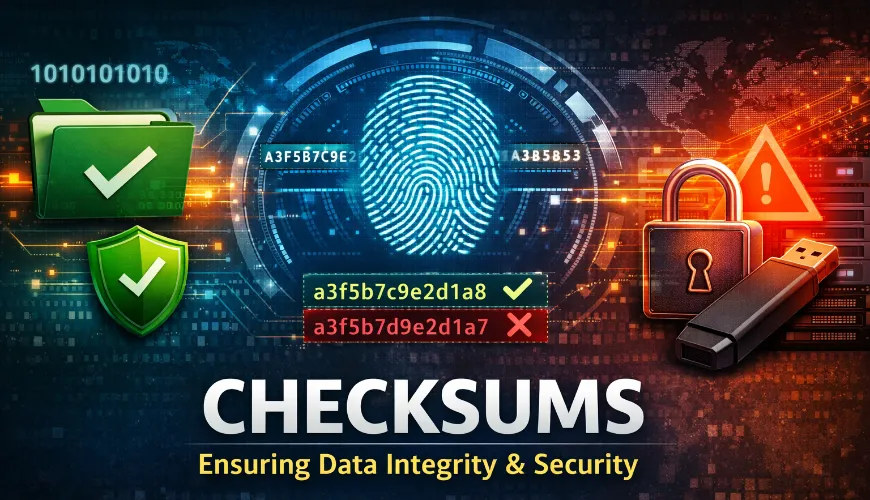
A checksum is a small, fixed-size value calculated from a block of data. Its purpose is simple: confirm that data hasn't changed. Whether you're downloading software, transferring files between servers, or verifying a backup, a checksum acts as a digital fingerprint that lets you detect corruption, accidental changes, or deliberate tampering.
Every time data moves - across a network, onto a USB drive, or through an API - there's a chance something goes wrong. A flipped bit, a dropped packet, or a man-in-the-middle attack can silently alter the contents. Checksums give you a fast, reliable way to catch those problems before they cause real damage.
How Checksums Work
The process behind a checksum is straightforward. A mathematical algorithm takes a data input - a file, a message, a packet - and produces a fixed-length output value. That output is the checksum.
Here's the basic flow:
- The sender runs the file through a checksum algorithm to produce a value (e.g.,
a3f5b7c9e2...). - The file and its checksum are sent to the recipient.
- The recipient runs the same algorithm on the received file.
- If both checksum values match, the file is intact. If they don't match, something changed during transit.
The key property of a good checksum algorithm is that even a tiny change in the input - a single flipped bit - produces a completely different output. This makes it easy to detect even the smallest corruption.
One's Complement Method
In network protocols like TCP and UDP, checksums are often calculated using the one's complement method. The data is divided into fixed-size blocks (typically 16-bit words), those blocks are summed together, and the bitwise complement of the result becomes the checksum. The receiver repeats the process and checks whether the result is zero (all bits set). If it's not, the data was altered.
Why Checksums Matter
Checksums solve several practical problems:
Data integrity during transfers. Files downloaded over the internet, synced between servers, or moved between storage devices can be silently corrupted. A checksum comparison catches this instantly.
Tamper detection. If someone intercepts and modifies a file in transit (a man-in-the-middle attack), the checksum will no longer match. This doesn't prevent the attack, but it reveals it.
Software distribution verification. Open-source projects and software vendors publish checksums alongside their downloads. Before installing, you can verify the download matches the expected checksum, confirming it hasn't been altered or infected with malware.
Backup validation. After running a backup, comparing checksums between the source and the backup copy confirms the backup is a faithful copy - not a corrupted one.
Archival and long-term storage. Data stored for months or years can degrade (a phenomenon called "bit rot"). Periodic checksum verification ensures archived data remains intact.
Common Checksum Algorithms
Not all checksum algorithms are equal. They vary in speed, output size, and resistance to attacks. Here are the most widely used ones.
CRC32 (Cyclic Redundancy Check)
CRC32 is a lightweight, fast checksum algorithm that produces a 32-bit (4-byte) output. It's used extensively in network protocols (Ethernet frames), file formats (ZIP, PNG, gzip), and storage systems. CRC32 is excellent for detecting accidental corruption but offers no security against deliberate tampering - it's trivial to craft a file that matches a given CRC32 value.
Best for: Error detection in file formats, network frames, quick integrity checks where security isn't a concern.
MD5 (Message Digest 5)
MD5 produces a 128-bit hash value, typically displayed as a 32-character hexadecimal string. It was once the standard for file integrity verification, but it has known vulnerabilities. Collision attacks - where two different files produce the same MD5 hash - have been demonstrated since 2004 and are now practically easy to execute.
Best for: Quick corruption checks on trusted files. Not suitable for security-sensitive verification or digital signatures.
SHA-1 (Secure Hash Algorithm 1)
SHA-1 generates a 160-bit hash. It was the industry standard for years, used in SSL certificates, Git commits, and software signing. However, a practical collision attack was demonstrated in 2017 (the "SHAttered" attack), and it has been deprecated by NIST and major browsers.
Best for: Legacy systems only. Not recommended for new implementations.
SHA-256 (SHA-2 Family)
SHA-256 is part of the SHA-2 family and produces a 256-bit hash. It's the current standard for security-sensitive applications. SHA-256 is used in TLS/SSL, IPSec, code signing, cryptocurrency (Bitcoin's proof-of-work), and most modern software distribution platforms.
The SHA-2 family also includes SHA-224, SHA-384, and SHA-512, each with different output lengths and corresponding security levels. SHA-256 strikes the best balance between security and performance for most use cases.
Best for: Software download verification, digital signatures, any scenario where you need strong integrity and tamper resistance.
Algorithm Comparison
| Algorithm | Output Size | Speed | Security | Use Case |
|---|---|---|---|---|
| CRC32 | 32-bit | Very fast | None | Network frames, ZIP files |
| MD5 | 128-bit | Fast | Broken | Legacy corruption checks |
| SHA-1 | 160-bit | Fast | Deprecated | Legacy systems, Git (migrating) |
| SHA-256 | 256-bit | Moderate | Strong | Downloads, signing, TLS, crypto |

How to Verify a Checksum
Verifying a checksum is a command-line operation on every major OS. Here's how to do it.
On Windows
Open PowerShell or Command Prompt and run:
certutil -hashfile filename SHA256For MD5:
certutil -hashfile filename MD5On macOS
Open Terminal and run:
shasum -a 256 filenameFor MD5:
md5 filenameOn Linux
Open a terminal and run:
sha256sum filenameFor MD5:
md5sum filenameIn PHP
If you're working with file verification in a web application or backend script, PHP has built-in functions:
// SHA-256 checksum of a file
$hash = hash_file('sha256', '/path/to/file.zip');
echo $hash;

// MD5 checksum of a file
$md5 = md5_file('/path/to/file.zip');
echo $md5;

// Verify against an expected checksum
$expected = 'a3f5b7c9e2d1...';
if (hash_equals($expected, $hash)) {
    echo 'File integrity verified.';
} else {
    echo 'WARNING: Checksum mismatch - file may be corrupted or tampered with.';
}
Use hash_equals() instead of === for comparison. It performs a timing-safe comparison that prevents timing attacks when verifying checksums in security contexts.
In Bash (Automated Verification)
For scripting file verification in deployment pipelines or backup validation:
#!/bin/bash
EXPECTED="a3f5b7c9e2d1..."
ACTUAL=$(sha256sum /path/to/file.zip | awk '{print $1}')

if [ "$EXPECTED" = "$ACTUAL" ]; then
    echo "Checksum OK"
else
    echo "CHECKSUM MISMATCH" >&2
    exit 1
fi
Checksum vs. Hash vs. Digital Signature
These three terms are related but serve different purposes. They're often conflated, so here's a clear breakdown.
| Concept | Purpose | Guarantees Integrity? | Guarantees Authenticity? | Example |
|---|---|---|---|---|
| Checksum | Detect accidental errors | Yes | No | CRC32, Adler-32 |
| Cryptographic Hash | Detect any change (including deliberate) | Yes | No | SHA-256, MD5 |
| Digital Signature | Verify both integrity and sender | Yes | Yes | RSA + SHA-256, ECDSA |
Checksum is the broadest term. It includes simple algorithms like CRC32 that are fast but have no cryptographic security. They're designed to catch accidental errors - not malicious changes.
Cryptographic hash is a specific type of checksum that is computationally infeasible to reverse or forge. SHA-256 is a cryptographic hash; CRC32 is not. When people say "checksum" in a security context, they usually mean a cryptographic hash.
Digital signature goes a step further. It combines a cryptographic hash with public-key cryptography. The sender signs the hash with their private key, and the recipient verifies it with the sender's public key. This proves both that the data wasn't altered AND that it came from the expected sender.
Real-World Use Cases
Checksums appear in more places than most people realize:
Software downloads. When you download an ISO, a driver, or a package, the publisher provides a SHA-256 hash. You verify it locally before installing.
Package managers. Tools like apt, npm, composer, and pip automatically verify package checksums before installation. If the checksum doesn't match the repository's expected value, the installation is blocked.
API payload integrity. Webhook providers (Stripe, GitHub, Shopify) send an HMAC signature with each payload. Your server recalculates the HMAC using your shared secret and compares it - this is a checksum-based authentication mechanism.
Backup verification. Enterprise backup solutions calculate checksums of each backed-up file and verify them on restore. This catches silent corruption in storage media.
Blockchain and cryptocurrency. Bitcoin and other blockchains rely on SHA-256 hashing as a core mechanism for proof-of-work mining and transaction verification.
Database replication. Systems like MySQL and PostgreSQL use checksums to verify that replicated data matches the source.
File deduplication. Storage systems compute checksums to identify duplicate files without comparing every byte - if two files have the same SHA-256 hash, they're (almost certainly) identical.
Limitations of Checksums
Checksums are a detection tool, not a prevention or correction tool. There are important things they can't do:
They can't fix errors. A checksum tells you something went wrong, but it doesn't tell you what changed or how to recover the original data. For that, you need error-correcting codes (like Reed-Solomon) or redundant copies.
Simple checksums miss certain error patterns. CRC32 and basic sum-based checksums can miss byte reordering, inserted zero-value bytes, or specific multi-bit error patterns. Cryptographic hashes like SHA-256 are far more reliable but slower.
Checksums alone don't prove authenticity. A checksum downloaded from the same server as the file doesn't help if the server itself is compromised - the attacker can replace both the file and the checksum. Digital signatures solve this problem.
They add processing overhead. Computing SHA-256 over a multi-gigabyte file takes measurable time and CPU. For high-throughput systems, the choice of algorithm matters - CRC32 is orders of magnitude faster than SHA-256.
MD5 and SHA-1 are cryptographically broken. Using these for security-sensitive verification is a vulnerability. Always prefer SHA-256 or better for any scenario involving trust.
FAQ
What is a checksum in simple terms?
A checksum is a short code calculated from a file or data set. If the data changes - even slightly - the checksum changes too. By comparing checksums before and after a transfer, you can confirm nothing was lost or altered.
What is the difference between MD5 and SHA-256?
MD5 produces a 128-bit hash and is fast but cryptographically broken - attackers can create two different files with the same MD5 hash (a collision). SHA-256 produces a 256-bit hash and remains secure against known attacks. For anything security-related, use SHA-256.
How do I verify a checksum on Linux?
Run sha256sum filename in a terminal. This outputs the SHA-256 hash of the file. Compare it to the expected hash published by the file's source. For MD5, use md5sum filename.
Can a checksum detect if a file has been hacked?
A cryptographic checksum like SHA-256 can detect any modification to a file, including malicious changes. However, it can only detect the change - it can't tell you who changed it or why. For that level of verification, you need a digital signature.
Is MD5 still safe to use?
MD5 is acceptable for detecting accidental corruption (e.g., verifying a backup wasn't corrupted during storage). It is not safe for security purposes - collision attacks against MD5 are well-documented and practical to execute. Use SHA-256 for any scenario where deliberate tampering is a concern.