Top 7 Task Manager Tools to Streamline Workflows
By SendBridge Team · Published Sep 25, 2026 · 9 min read · General

Teams often struggle when tasks scatter across messages, notes, and spreadsheets. Many companies begin searching for a task manager online when they realize that a clear task structure helps projects move faster and reduces confusion across departments. A well-organized system helps teams assign responsibilities, track progress, and maintain visibility across projects.
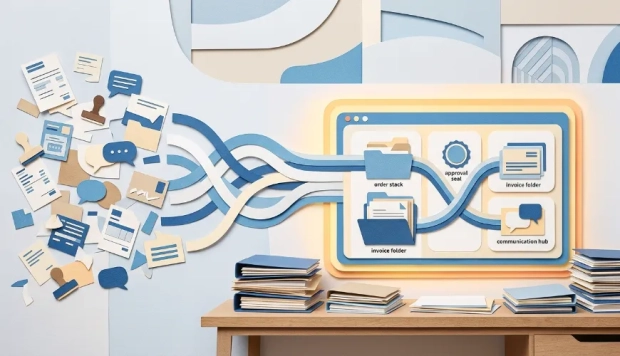
Task managers help organizations transform scattered tasks into structured workflows. When teams operate inside a single environment, project updates remain visible and communication becomes more efficient.
Essential Capabilities of a Powerful Task Manager
A task manager should do more than store task lists. The system must support collaboration, provide project visibility, and help teams maintain consistent workflows. Companies that select the right tool often see stronger coordination and fewer delays. To ensure your organization selects the right platform, you should evaluate various business management software by category to determine what actually fits your company and its specific operational needs.
Effective task management tools usually include several practical capabilities:
- clear task ownership that assigns responsibility to a specific team member;
- deadline management that keeps projects aligned with schedules;
- shared project dashboards that display progress and priorities;
- centralized discussions connected directly to tasks;
- file attachments and documentation stored within each project;
- notifications that alert teams about updates and deadlines.
These features help teams maintain transparency. Managers gain a clear overview of project development while employees understand priorities and expectations.
A structured workflow also reduces routine coordination meetings. Team members review project updates directly in the task system, which saves time and prevents communication gaps.
Popular Task Management Platforms
Many tools help teams organize tasks and coordinate projects. Each platform approaches workflow management differently, which gives companies several options depending on their internal processes.
Planfix
Planfix combines task management, communication, and workflow automation inside one unified system. The platform stands out because it connects departments and business processes instead of operating as a simple task board. Teams manage tasks, projects, and internal requests within the same environment, which improves coordination across the entire company.
One advantage of Planfix involves its flexibility. Organizations can create custom workflows, automate repetitive processes, and design dashboards that match their operational structure. This approach allows teams to adapt the system to their business rather than forcing employees to follow rigid templates.
Planfix also provides clear visibility across departments. Managers track workloads, project progress, and communication history in one workspace. Companies benefit from this transparency because it reduces confusion and helps leaders make faster decisions.
Quickbase
Quickbase is one of the best work management apps out there. It does more than just keep track of tasks. It helps businesses keep track of many projects in one place by connecting data, automating workflows, and giving everyone on every team, task, and budget real-time access to information.
The fact that Quickbase doesn't need any code is what makes it stand out. Without needing IT help, teams can make their own project management apps in minutes by setting up workflows, permissions, and dashboards to meet the needs of each project. This is especially useful for businesses that need flexible processes instead of strict templates.
Quickbase replaces separate spreadsheets and tools with a single system that lets teams plan, track, and finish projects while still having full control and flexibility. Gantt views, budget-versus-actual tracking, automated task assignments, and real-time dashboards that show managers the status of a project right away are all part of the platform.
Quickbase is great for environments with a lot of teams and a lot of moving parts. Companies in the fields of business, construction, manufacturing, and energy use it to manage complicated projects with multiple sites. It has mobile access and governance features that make it easier for teams to work together from different locations.
Quickbase also integrates with leading platforms like Salesforce, SAP, Oracle, and Microsoft Teams using native connectors and APIs, eliminating data silos and keeping every team aligned.
eXo Platform
eXo Platform is an open-source digital workplace that combines task management, collaboration, communication, and employee engagement in a unified environment. Unlike traditional task managers focused only on project tracking, it provides a broader workspace where teams can organize tasks, share knowledge, and collaborate through integrated tools such as intranet spaces, social features, and document management.
It is particularly suited for organizations looking for a secure and customizable platform that goes beyond simple task tracking and supports end-to-end workflow collaboration. With its open-source foundation, eXo Platform also allows companies to maintain full control over their data and infrastructure while adapting the platform to their specific needs.
Asana
Asana focuses on visual task organization and team collaboration. The platform offers project views that include lists, boards, and timelines. These views help teams monitor progress and understand task dependencies.
Companies often adopt Asana for project coordination across marketing, product development, and operations teams. Its interface emphasizes clarity and visual project tracking.
ClickUp
ClickUp positions itself as a highly customizable productivity platform. Teams can organize projects using several views, such as boards, lists, and calendars.
The platform supports workflow automation, time tracking, and includes features of a robust goal management platform. Companies that manage multiple types of projects often value ClickUp's flexible structure.
Trello
Trello relies on a board-based interface where tasks appear as cards that move across different project stages. This visual approach simplifies task tracking and collaboration.
Teams that prefer lightweight project organization often select Trello because of its simple structure and intuitive workflow management.
Notion
Notion combines documentation, project planning, and task management inside a flexible workspace. Teams often use the platform to organize knowledge bases alongside project tasks.
The system allows companies to create custom pages, task boards, and collaborative documents within the same environment.
nTask
nTask focuses on project planning and issue tracking. The platform includes features such as task assignments, meeting management, and risk tracking.
Teams use nTask when they need a structured environment that combines task management with project monitoring.
Todoist
Todoist centers around personal productivity and task organization. The platform allows users to manage individual tasks, create project lists, and track deadlines.
Many teams adopt Todoist for simple workflow management and daily task planning.

Comparing Key Features of Task Managers
Different platforms focus on different aspects of task management. Some emphasize visual workflows while others prioritize customization or simplicity.
The table below highlights several common capabilities across task management platforms.
| Feature | Purpose | Benefit for teams |
|---|---|---|
| Task assignment | Define responsible team members | Improves accountability |
| Deadline tracking | Organize project schedules | Prevents missed deadlines |
| Collaboration tools | Connect discussions with tasks | Improves communication |
| Dashboards | Display project progress | Helps managers monitor workflows |
| Automation | Reduce repetitive actions | Saves time and effort |
When teams evaluate task managers, they often consider how these features support their internal workflows. A system that integrates tasks, communication, and reporting can simplify daily operations.
Companies also examine whether the platform supports collaboration across departments. However, true efficiency isn't just about accessing information; it's about unifying fragmented tools into a cohesive system. This is where workflow orchestration platforms like Akiflow come into play, allowing team members to bridge the gap between their various task management apps, email inboxes, and calendars for a singular, time-blocked view of their day.
How Task Managers Improve Organizational Efficiency
A structured task management system helps companies maintain clarity across complex workflows. Employees can review assignments, deadlines, and project updates without searching through multiple communication channels.
Departments also collaborate more effectively. Marketing, operations, support, and leadership teams share the same project environment and access the same information. An additional aspect involves project transparency. Managers see which tasks require attention and which projects approach deadlines. This visibility allows leaders to address problems early rather than reacting to delays later.
Task managers also help companies standardize internal processes. When teams follow consistent workflows, project execution becomes more predictable and easier to scale. Organizations that adopt structured task management often reduce operational friction. Employees spend less time clarifying responsibilities and more time focusing on meaningful work.
How to Choose the Right Task Manager for Your Team
Selecting a task manager requires more than comparing interface design or pricing. Teams need a system that supports their workflow structure, communication style, and project complexity. A tool that works well for small personal projects may not handle cross-department collaboration inside a growing company.
Managers often evaluate several criteria when choosing a task management platform. They examine how clearly tasks can be assigned, how easily project progress becomes visible, and whether the system supports real teamwork instead of isolated task lists.
Another important factor involves adaptability. Companies evolve, teams expand, and workflows change over time. A task manager should support these changes without forcing teams to migrate to another platform. Systems that allow custom workflows, automation, and flexible dashboards usually provide the most long-term value.
Teams also benefit from tools that combine communication and task tracking in the same environment. When project discussions remain connected to tasks, employees avoid confusion and spend less time searching for information. This structure improves both productivity and transparency across the organization.
Why Structured Task Management Matters for Growing Teams
Structured task management plays a critical role in maintaining efficient workflows across growing teams. Planfix offers a unified environment where businesses organize tasks, coordinate communication, and manage internal processes within one platform. This structure helps companies maintain visibility across projects and improve collaboration across departments.
Teams that want clearer workflows and stronger coordination should explore how Planfix supports daily operations. Start using Planfix today and build a smarter system for managing tasks and projects.
FAQ
How do task managers help teams prioritize work?
Task managers allow teams to set priorities, categorize tasks, and visualize workloads. This structure helps teams focus on the most important activities and prevents critical tasks from being overlooked.
What features help managers track team performance in task management systems?
Many platforms provide analytics, activity logs, and progress dashboards. These tools give managers a clearer view of completed tasks, ongoing work, and potential delays.
Are task managers useful for remote teams?
Yes. Task management platforms support distributed teams by centralizing communication, project files, and task updates in one environment. This structure helps maintain transparency and coordination regardless of location.