Ways to Improve Team Productivity Through Tailored Business Software
By SendBridge Team · Published Nov 21, 2026 · 9 min read · Technology
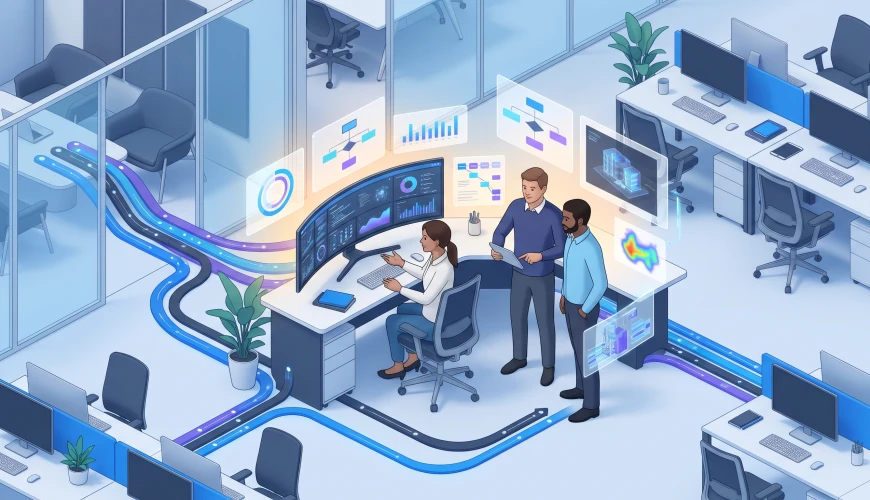
There's no disputing the importance of team productivity for any business. The more any business grows, the more challenging it is to handle everyday work. It gets increasingly more difficult to effectively manage your team. General purpose software is better than nothing, but it rarely fits the mold of most teams' unique demands. A better approach is to develop business software that is fully aligned with how you do business. Tailoring your software helps your business remove redundancies, simplify communication, and make the overall workspace more productive.
Automating Administrative Routines
Many business professionals must complete tedious tasks daily. Often, administrative duties such as report preparation, record maintenance, and invoice processing interrupt more complex responsibilities. While necessary, those chores take valuable time away from much more critical assignments. Administrative business tasks can be easily automated with software. When rules and events are predetermined, automation will run behind the scenes without employee effort. Automating tedious processes like invoicing and sending notices allows your workers more time to focus on their core competencies.
The flexibility of automation can help different departments operate under the same processes, procedures, and rules. It removes much of the manual work which is prone to error and can lead to missed deadlines. Custom software can incorporate a set of predetermined procedures, giving employees step by step instructions. At each step, a prompt can tell an employee what is required and how the data should be entered.
Improving Communication and Collaboration
Ineffective communication is a major productivity pain point, especially when information gets trapped on fragmented and unrelated platforms. Uncoordinated emails, chats, and independent programs results in vital messages, documentation, and work statuses being almost impossible to trace. By unifying disparate business programs into a single source, users can now efficiently reference conversations, media, and general progress in real time.
Different teams are inextricably linked to accomplish most corporate goals, but the execution of many initiatives becomes overly complex and challenging due to team silos. This often manifests in lost or untraceable, sometimes redundant, work being performed, as most users often lack transparency in their daily tasks and even less visibility in colleagues' tasks. Custom team collaborative programs are particularly useful as most allow for team boards, task delegations, discussion, and file management. Users are provided a great amount of value, especially transparency of other team's tasks and goals. In addition, users with management roles are better suited to adjust to shifting constraints and manage organizational goals, all while achieving greater, cross functional cohesion.
Build Custom Software Around Current Workflows
There is some unique organization structure in each company that differentiates it from others, as well as a specific workflow. Each company should be treated as its own business unit. Standard software programs often include unnecessary functionality, while often neglecting most essential tasks. It is more advantageous to have a more customized system. Each software company has its own operational workflow. To illustrate this, a company providing consulting services would need something very different, with regard to software, than a company producing goods.
Customizing software, like creating a specific application, is better for any company because it can address any issue in an efficient and orderly way. Many users are often frustrated by several software applications that each do one specific task and even more so by more complicated processes such as the need to transfer files manually. Employees also may need to manage different aspects of the same project with several files, like with spreadsheets. Working with a custom software development solution helps remove the inefficiency of more complex, disconnected, systems by creating an all-in-one software program. Additionally, any modifications needed later on can easily be added to software system programs. Users would even be able to have access to several programs designed for very specific jobs and avoid redundant software procedures.

Combining Business Software
A major difficulty companies experience is having too many different software systems, which create bottlenecks when they are used simultaneously. This is where customized software is most useful. Combining systems is great, because any modifications that are needed can be easily done with customizing. Custom systems also help prevent duplicate procedures, and ensure that employees have access to programs designed specifically for their needs.
In almost every modern workplace, numerous software applications help run businesses. These include software systems that aid accounting, customers, inventory, staff, and even projects. Unfortunately, while they aid business functions on their own, as they are used across different parts of the business, they run the risk of becoming data islands. They force employees to duplicate administrative activities across different software applications and run the risk of creating conflicting and differing accounts of different activities across different systems. There are applications that can address this problem by interfacing existing systems so as to provide integration and automatic data transfers. This removes the need for employees to continually replicate the same activity.
Supporting Better Decisions Through Data
Business management can improve their operations and efficiency by learning more about employee and business operations through various methods of performance assessment. One method of improving performance assessment is through integrations that consolidate information from different databases into a single database. Business intelligence and analytics software can consolidate and analyze business data from multiple applications into automated business reports and single dashboards for the business. Business management can then use automated reports to analyze operational activities and the factors that influence operational costs. Performance reports can also help management understand customer needs, the duration of customer service requests, the completion rates of business activities, and more. This understanding can help identify and better deal with repetitive problems as they occur.
Business reporting software can reveal many other activities, such as delays in operations caused by lengthy approval procedures or issues with business workload allocation across various business departments. This is invaluable business intelligence that managers can use to address some of the problems revealed. With help of business performance records, managers can verify the success of many changes made in business procedures. These data supported reports of business operations can provide much better insight into operational efficiency than many estimates of operational performance and cost.
Employee Training and Accessibility Services
A big hassle when it comes to hiring new employees is the introduction of different business processes and complicated software. It takes quite some time for newly hired staff members to become competent in their roles. Having multiple people complete similar roles complicates the training. In fact, if not designed properly, training becomes ineffective. Custom built business software is an efficient alternative. It can streamline the training process with simpler interfaces and workflows tailored for employees in each role. With on the system guidance, employees learn as they do and become competent much faster.
It is pointless for most employees to be able to access the exact same systems as other people with completely different roles. Providing staff members with exactly what they need based on their job roles avoids software cluttering, especially when some tools are not needed at all. Systems with personalized roles, functions, and dashboards can improve overall employee efficiency and remove most unnecessary distractions.
The Need for Security and System Reliability
Staff must be able to complete their duties without interruptions. Some staff have access to information that must remain secure. These files may contain customer records, internal reports and sensitive financial documents. Systems developed for a particular company can implement advanced security measures including, the need for system logons, monitoring who accesses information and what files they view, and also encrypting sensitive data. Appropriate security protocols can help companies manage their data effectively, but also provide additional security so staff are less concerned about loss of company files.
Another interruption can come from system instability, which can have an impact on employees carrying out their responsibilities. If companies want employees to perform to the best of their abilities, then systems developed must provide reliable and dependable support. Businesses can include system backups, ongoing support, and maintenance, among other services. Updates also provide a benefit as they ensure software continues to operate without compatibility issues, among other reasons. Company personnel can establish procedures to reduce downtime from issues that can develop due to technical problems.
Assessing Software Productivity and Expandability
Implementation of customized software involves establishing measurable performance targets. There needs to be clear goals and objectives behind software customization and understanding how the issues that the business currently faces can be improved and monitored. Possible metrics include: time spent on administration tasks, response time of projects, percentage of administrative errors, response rates from customers, and surveys of employees. Metrics should be established and tracked before the implementation of customization software, and compared with results tracked after software customization to see the impacts the customization has on the business. Frequent and repeated collection of surveys from employees will also show issues with the customization software.
AI tools can also help improve productivity by assisting with data analysis, summarizing information, and handling repetitive tasks. With AI consulting, businesses can identify practical opportunities to integrate these capabilities into existing workflows while ensuring the technology supports employee needs.
Software will more often than not be modified in some way after its implementation. Over time, businesses change, develop, and may begin to take on more complex activities. These activities are what often calls for more customized software. As such, software should be customized to include more complex capabilities, such as the ability to handle more customers, data, and even additional integrations, rather than requiring the system to be replaced. Building customization software with flexibility in mind also makes it possible to improve the software as the need arises, instead of the disruption that comes with completely changing existing systems.
Getting Custom Software Right from the Start
Unlike most ready-made systems, customization can make an improvement to some aspects of your business. More efficiency can be achieved as well with better and improved communication as well as increased productivity. Customized solutions can reduce unnecessary procedures in most processes and support more seamless integration between existing business systems. But there are still considerations as there are always issues in any project. To reduce the need for further customization after software deployment, the project must be more comprehensively scoped and include a security analysis, a feedback loop from stakeholders and most importantly some consideration about any potential integration that might be needed after initial deployment. These considerations and those outlined previously, as well as several more, will assure a positive outcome in any customized software implementation.